What Is MQL5 Code and Why Traders Need It

What Is MQL5 Code and Why Traders Need It
MQL5 is a programming language designed for traders using the MetaTrader 5 platform. It enables the development of automated trading robots, custom indicators, and scripts to enhance trading efficiency. Unlike general-purpose languages like Python or C++, MQL5 is tailored for financial markets, offering faster trade execution and precise market analysis. Its C++-like syntax allows developers to create structured, reusable code, making it ideal for complex trading strategies.
Key highlights of MQL5 include:
- Automation: Eliminates human errors by executing trades based on pre-defined algorithms.
- Speed: Processes data and executes trades up to 20 times faster than its predecessor, MQL4.
- Backtesting: Simulates strategies using historical data to ensure reliability before live trading.
- AI Integration: Supports machine learning models for advanced market analysis.
- Development Tools: Features like MetaEditor and Strategy Tester simplify coding and optimization.
MQL5 is essential for traders looking to automate strategies, reduce emotional decision-making, and respond to market changes instantly. It’s especially useful for those aiming to develop custom trading systems tailored to their specific needs.
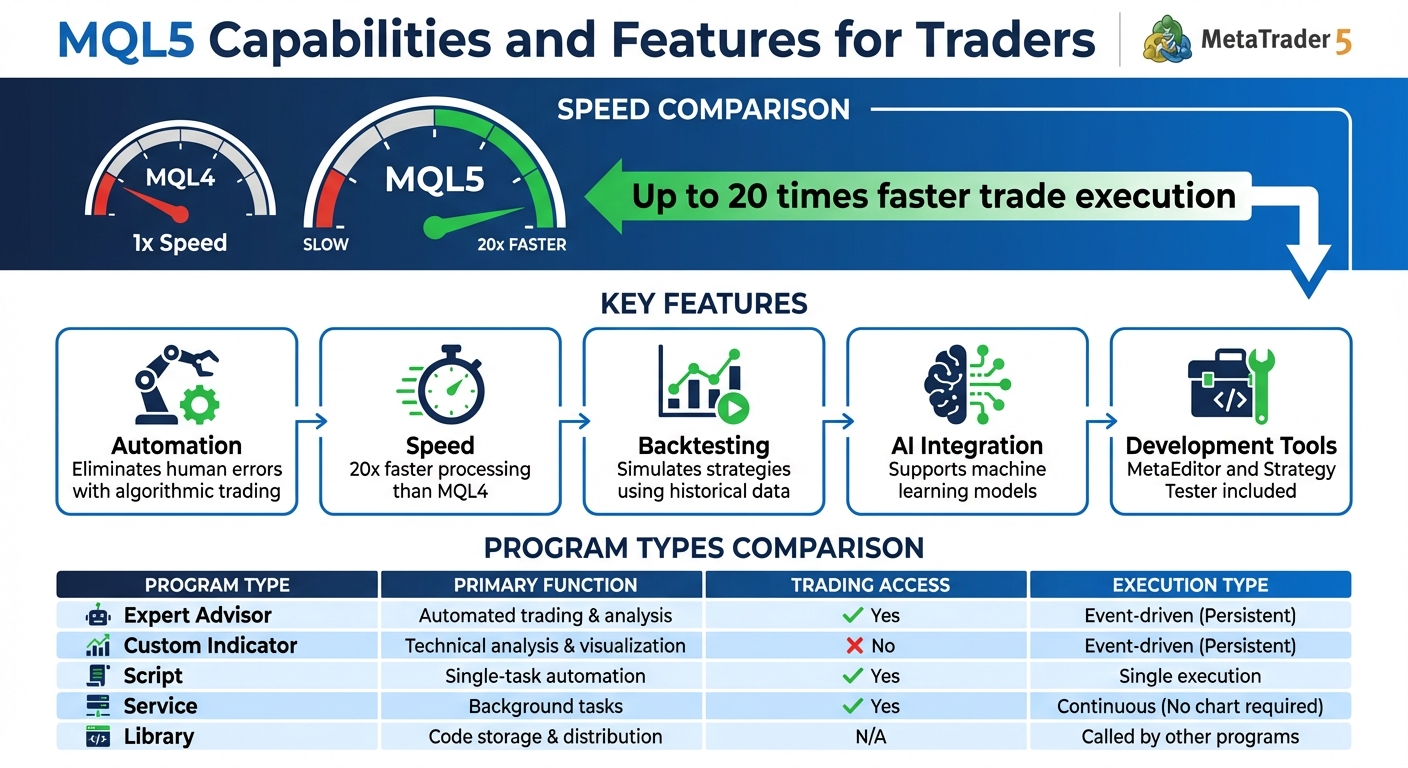
MQL5 vs MQL4 Speed Comparison and Key Features Overview
MQL5 TUTORIAL - HOW TO GET STARTED WITH AUTOMATED TRADING IN 4 MINUTES
sbb-itb-3b27815
What Is MQL5 Code?
MQL5 is a programming language developed by MetaQuotes specifically for MetaTrader 5. It’s designed to create automated trading robots, custom indicators, and specialized trading scripts, giving traders direct control over analyzing markets and executing trades.
"The language syntax is very close to C++ enabling programmers to develop applications in the object-oriented programming (OOP) style." – MQL5 Reference
Its syntax closely resembles C++, making it familiar to developers with experience in that language. The event-driven and structured design of MQL5 enables users to write organized, reusable code that responds instantly to market changes. This structured approach simplifies modular development, especially for those already acquainted with C++.
MQL5 also comes packed with features. It supports price analysis, technical indicator calculations, and trade management. Advanced tools like OpenCL, Python integration, and SQLite support further enhance its capabilities. It even includes specialized data types such as double for accurate pricing, datetime for time-sensitive operations, and structures like MqlTradeRequest to execute trades with precise parameters.
Key Features of MQL5
MQL5 is built for speed and flexibility, catering specifically to the needs of financial markets. Its object-oriented design allows for modular and reusable code, supporting complex elements like four-dimensional arrays and unlimited indicator buffers for scalable projects.
The language also includes a Standard Library with pre-built classes for common tasks like trading operations, graphics rendering, and file management, which can significantly reduce development time. Developers benefit from the integrated MetaEditor IDE, which offers debugging tools, a function profiler to identify inefficiencies, and version control via MQL5 Storage. Additionally, MQL5 can call external DLL functions and operating system libraries, enhancing its functionality.
To ensure safety in financial applications, MQL5 eliminates risky features like pointer arithmetic and exceptions. It also incorporates encryption and file integrity checks to protect code from being decompiled. Another standout feature is its ability to parallelize mathematical optimization tasks across multiple threads without requiring extra coding.
These features collectively make MQL5 a powerful tool for traders looking to enhance their trading strategies.
Applications of MQL5
MQL5 supports various program types, each designed for specific trading tasks:
| Program Type | Primary Function | Trading Access | Execution Type |
|---|---|---|---|
| Expert Advisor | Automated trading & analysis | Yes | Event-driven (Persistent) |
| Custom Indicator | Technical analysis & visualization | No | Event-driven (Persistent) |
| Script | Single-task automation | Yes | Single execution |
| Service | Background tasks | Yes | Continuous (No chart required) |
| Library | Code storage & distribution | N/A | Called by other programs |
- Expert Advisors handle automated trading by continuously analyzing market conditions and executing trades based on predefined rules, eliminating the need for human intervention.
- Custom Indicators focus on technical analysis, displaying data directly on charts to help traders make informed decisions.
- Scripts perform one-time tasks like closing multiple positions or placing orders.
- Services operate in the background, managing tasks such as custom price feeds without requiring a chart.
- Libraries store reusable code that can be accessed by other MQL5 programs.
This versatility allows MQL5 to cater to a wide range of trading needs, making it an essential tool for automating and optimizing trading workflows.
Why Traders Need MQL5 for Automated Trading
Automated trading takes the emotional element out of decision-making - algorithms stick to the plan, executing strategies exactly as programmed, around the clock.
"The robot does not get tired, doubtful or scared, it's totally free from any psychological problems." – MetaQuotes
MQL5 stands out for its speed and precision, processing market data and executing trades up to 20 times faster than its predecessor, MQL4. In fast-moving markets, where even a few seconds can make or break a trade, this speed can be a game-changer.
With multi-threading capabilities, MQL5 can run multiple testing agents simultaneously - one for each CPU core - slashing the time needed for strategy validation. For even larger tasks, the MQL5 Cloud Network expands this capacity, though each agent is capped at 4GB of RAM and 4GB of disk space per calculation. These features make it easier to develop and refine trading strategies efficiently.
Custom Strategy Development
Thanks to its speed and flexibility, MQL5 allows traders to design custom systems tailored to their market views and risk tolerance. Its C++-like syntax supports complex logic, enabling the creation of anything from basic moving average crossovers to advanced multi-indicator setups.
For those without coding skills, the MQL5 Wizard simplifies the process. By selecting from predefined modules - like trading signals, money management rules, and trailing stop algorithms - you can build a functional Expert Advisor without writing any code.
Another time-saving tip is writing pseudocode before diving into actual coding. By sketching out your strategy logic in plain language first, you can organize your ideas and catch potential issues early, avoiding headaches later.
"Writing pseudocode first before going into coding has, in my experience, saved me many hours of frustration and debugging." – MQL5 Article Author
Backtesting and Optimization
MQL5's Strategy Tester offers three tick generation modes, allowing you to balance accuracy with testing speed. "Every tick" mode provides the most precise results by simulating price movements within each bar using real tick data, floating spreads, and millisecond synchronization. "1 Minute OHLC" mode speeds things up by using just four price points per minute, while "Open prices only" mode is the fastest, triggering trades only at the start of each bar.
| Testing Mode | Accuracy Level | Speed | Best For |
|---|---|---|---|
| Every Tick | Highest (real tick simulation) | Slowest | Final validation, scalping strategies |
| 1 Minute OHLC | Medium (four price points) | Faster | Initial testing, less time-sensitive strategies |
| Open Prices Only | Lowest (bar open only) | Fastest | Strategies trading only on bar open |
This robust testing system ensures your strategies are ready for live market conditions. For strategies tested in faster modes, always validate them in "Every tick" mode to avoid overfitting to idealized scenarios.
MQL5 also supports advanced optimization metrics, letting you evaluate strategies based on criteria like the Sharpe ratio, recovery factor, expected payoff, or even custom variables defined in the OnTester handler. This flexibility helps fine-tune systems to align with your risk management preferences.
AI-Powered Automation
MQL5 takes automation a step further with ONNX model support, enabling seamless integration of pre-trained machine learning systems into trading robots. These neural networks can identify market patterns and generate signals with a depth of analysis that traditional indicators can't match.
Python integration expands access to powerful AI and machine learning libraries, while OpenCL support allows GPU acceleration for the intensive calculations required by neural networks. Additionally, AI tools can streamline the coding process by converting high-level instructions or pseudocode into executable MQL5 scripts. While AI-generated code can save time, it’s crucial to review and thoroughly test it to ensure reliability.
"Artificial Intelligence shortens development timelines and increases code generation productivity by automating repetitive tasks and decreasing manual intervention." – MQL5.community
MQL5 Development Tools
To make the most of MQL5's speed and precision, having the right development tools is non-negotiable. Building trading robots requires tools that simplify writing, testing, and refining code. At the heart of this process is MetaEditor, the main integrated development environment (IDE) for MQL5. It handles everything from creating your initial code to compiling it into executable files. Once compiled, your programs are ready to run - no need to manually move files around.
MetaEditor comes packed with features like syntax highlighting, auto-completion, and signature tips, all designed to make coding faster and easier. These tools are especially helpful for beginners. For those without programming experience, the MQL5 Wizard simplifies the process of building trading robots. Beyond that, the MetaTrader Market offers access to over 10,000 ready-made trading robots and indicators, available for purchase or rent - an excellent resource for traders looking for pre-built solutions.
Other powerful tools include an integrated debugger, a code profiler, and cloud-based version control. The debugger allows for step-by-step execution and real-time variable monitoring, helping you catch errors early - critical for high-speed trading where milliseconds count. Meanwhile, MQL5 Storage provides cloud-based version control, making collaboration smooth and efficient. Together, these tools enhance MQL5's ability to fine-tune automated strategies.
MetaEditor: The Core Development Environment
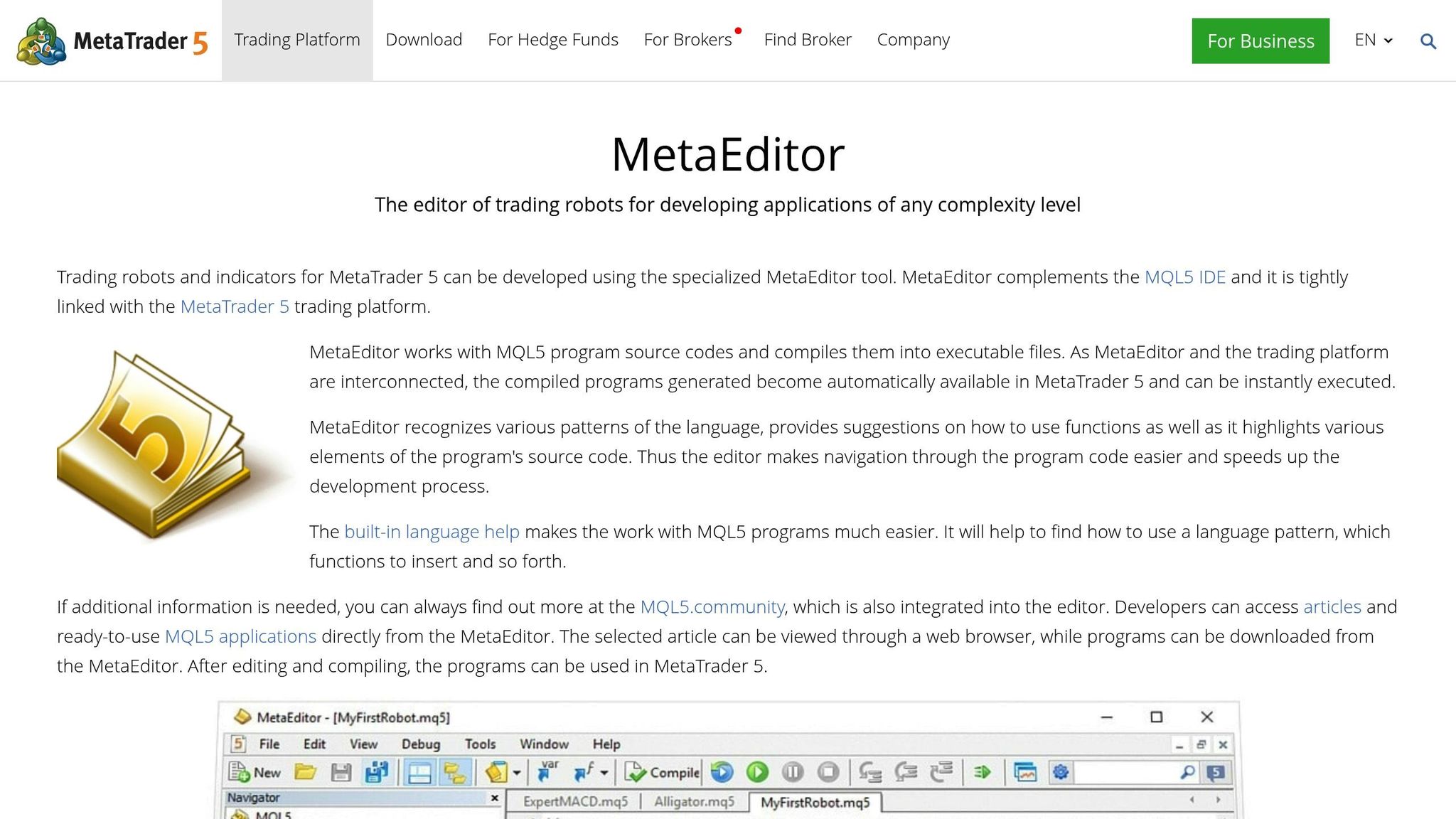
MetaEditor simplifies the development process with features tailored for traders of all experience levels. Pressing F4 launches MetaEditor, while F7 compiles your .MQ5 files into executable (.EX5) files, ready for immediate use.
"MetaEditor is a modern trading strategy development environment integrated with MetaTrader platform. It allows creating programs for algorithmic trading on MQL4 and MQL5 languages." – MetaEditor Help
Before deploying a robot on a live account, it’s smart to test it using the built-in debugger (F5) on a temporary chart. This step allows you to monitor how the robot handles specific market ticks, catching logic errors before they lead to costly mistakes. MetaEditor also provides access to a community-driven Code Base for additional resources. For developers concerned about protecting their work, the MQL5 Cloud Protector offers an extra layer of security against executable file decompilation.
Strategy Tester: Optimizing Performance
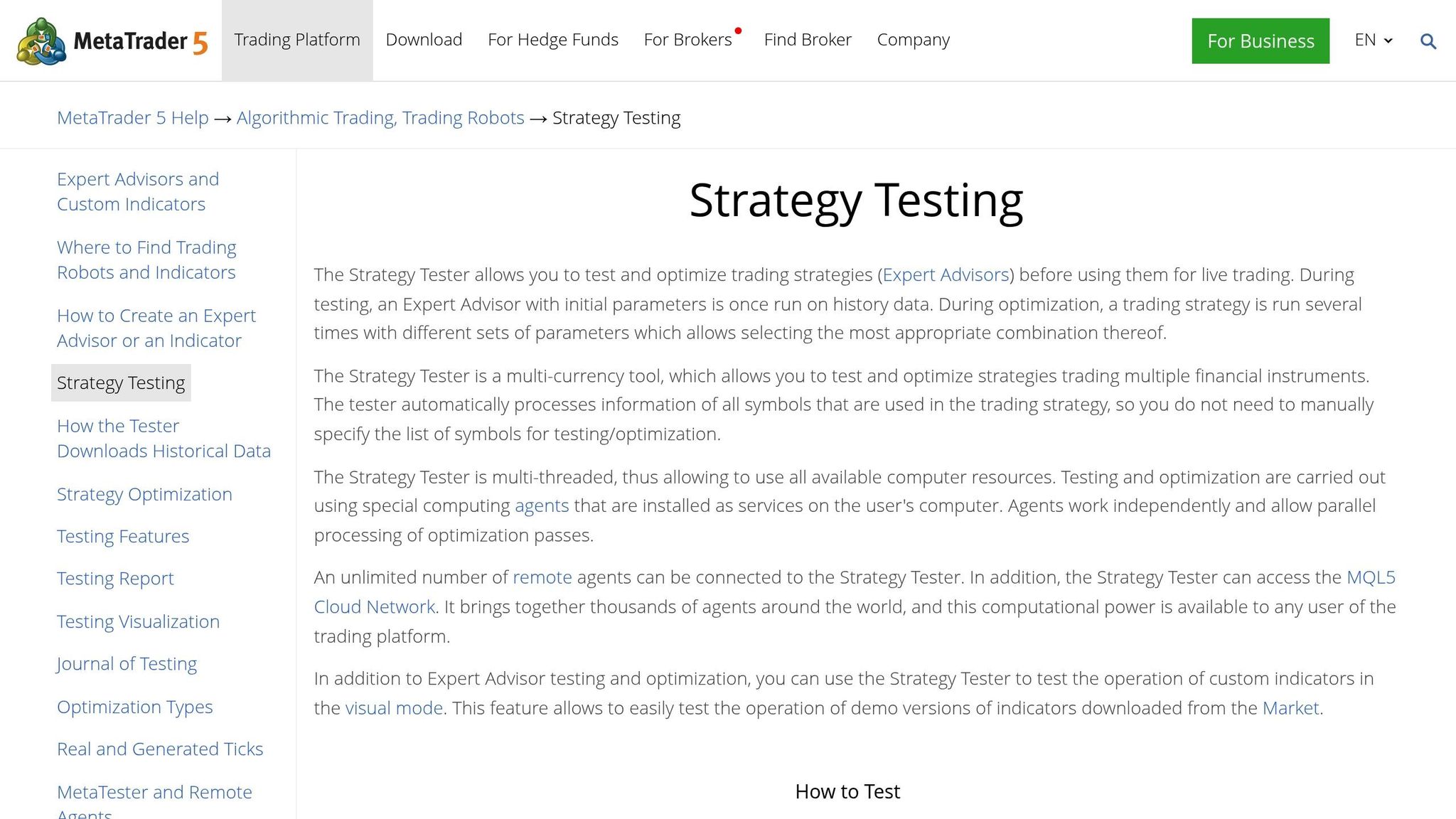
The Strategy Tester, integrated into the MT5 platform, is a critical tool for refining trading strategies. It uses historical data to simulate strategies, allowing you to test profitability before risking actual funds. This tool supports backtesting and parameter optimization to help identify the best settings for your strategy. It’s multi-threaded, utilizing all available CPU cores and even connecting to the MQL5 Cloud Network for large-scale parallel processing across thousands of agents worldwide.
To avoid curve fitting, forward testing splits the evaluation period into two phases: one for optimization and another for unbiased verification. The Strategy Tester can also simulate real-world network conditions by introducing fixed or random delays between trade requests and execution. For example, in "Random Delay" mode, there’s a 90% chance of a delay between 0 and 8 seconds and a 10% chance of a delay between 9 and 18 seconds.
The tester ensures accuracy by automatically downloading at least 100 bars of data before the test period, allowing for proper indicator calculations. For multi-currency strategies, it handles trading across multiple instruments by fetching historical data for all symbols used in your Expert Advisor. Additionally, the visual testing mode provides a real-time chart display of trade operations, making it invaluable for debugging visual indicators and analyzing trade timing.
Using Traidies for MQL5 Automation

MetaEditor and the Strategy Tester can be daunting for those new to MQL5. Enter Traidies, an AI-powered tool that simplifies everything - from creating strategies to testing them. While MQL5 is known for its speed and precision, Traidies adds an AI-driven interface that makes strategy development faster and easier. This integration opens the door to AI-assisted code generation, which is explained below.
AI Strategy Parser and MQL5 Code Generation
Traidies transforms plain English trading ideas into fully functional MQL5 code. For example, you could describe a strategy like: "Buy when the 50-day MA crosses above the 200-day MA, and sell when it crosses below." The AI takes it from there, generating the corresponding MQL5 code for you.
You can choose from several OpenAI-based models depending on how precise you need the output to be. For deterministic results, it's best to set the temperature between 0.1 and 0.5. And here's the best part: the AI Assistant is completely free to use.
Beyond code generation, the AI can also explain MQL5 code by adding comments to clarify each section. This feature comes in handy if you’ve downloaded a trading robot from the MetaTrader Market and want to understand how it works before tweaking it. In essence, the AI serves as both a coding assistant and a learning resource, making MQL5 more accessible. Once your code is ready, the next step is to validate the strategy through backtesting.
Automated Backtesting with Historical Data
Traidies makes backtesting straightforward by using historical minute-bar data (OHLC) to assess how your strategy would have performed in the past.
"The Expert Advisor performs trading operations in accordance with the rules of the trading system; the trading strategy... demonstrates a profit on the history." – MetaTrader 5 Help
The platform supports the same tick simulation modes as MQL5's native tools, striking a balance between speed and accuracy. It also offers forward testing, which applies your strategy to a separate, unoptimized time period. This helps avoid overfitting, ensuring your strategy is robust.
For strategies involving multiple currencies, Traidies takes care of downloading all the necessary historical data for every symbol your Expert Advisor uses. This eliminates the need to manually load data for each instrument, saving you time and effort while streamlining the backtesting process.
Practical MQL5 Functions for Traders
When it comes to strategy development and backtesting, the next logical step is effectively managing risk and executing trades. MQL5 offers a range of built-in functions that help traders automate these crucial tasks. These tools are what determine whether your Expert Advisor (EA) safeguards your capital - or risks it unnecessarily.
Risk Management Tools
Risk control is non-negotiable in automated trading. MQL5 provides functions that monitor your account's health and calculate appropriate position sizes before entering a trade. For example, AccountInfoDouble() tracks real-time metrics like ACCOUNT_BALANCE, ACCOUNT_EQUITY, and ACCOUNT_MARGIN_FREE. This allows your EA to confirm that there's enough free margin to open a position without risking a margin call.
Before placing an order, use OrderCalcMargin() to calculate the margin required for a specific trade. Pair this with OrderCalcProfit() to estimate potential profits or losses based on your Stop-Loss and Take-Profit levels. A good rule of thumb is to risk no more than 1-2% of your equity per trade.
"Risk management is a fundamental pillar of any trading strategy. Its main purpose is to monitor and control open positions, ensuring that losses do not exceed the limits established by the trader." – MetaQuotes Ltd.
To dynamically calculate the ideal lot size, retrieve SYMBOL_TRADE_TICK_VALUE using SymbolInfoDouble() and factor in the distance to your Stop-Loss. This method adjusts the position size based on your current equity, rather than sticking to fixed lot sizes that may not reflect your account's current state. Be sure to use NormalizeDouble() to round the lot size to your broker's required decimal places - this avoids "Invalid Volume" errors during trade execution.
For those managing multiple strategies or tracking cumulative losses, functions like HistorySelect(), HistoryDealsTotal(), and HistoryDealGetDouble() allow you to review past trades and calculate daily or weekly losses. If losses exceed a predefined threshold - say, 5% of equity in one day - your EA can automatically close all positions using OrderSend(). These tools integrate seamlessly with trade execution functions, ensuring your account stays protected.
Automating Order Execution
MQL5 simplifies trade execution with event-driven programming. The OnTick() function, which triggers every time a new price quote arrives, is the backbone of any EA. Within OnTick(), your EA can evaluate market conditions, generate trade signals, and submit trade requests - all without human input.
The main function for executing trades is OrderSend(). This uses the MqlTradeRequest structure to define all necessary parameters, such as action type, symbol, volume, price, Stop-Loss, and Take-Profit.
Before sending an order, always use OrderCheck() to ensure your request complies with broker requirements. This step verifies that you have enough margin and that your Stop-Loss and Take-Profit levels adhere to the broker's minimum distance rules (SYMBOL_TRADE_STOPS_LEVEL). Skipping this step could lead to rejected orders and missed trading opportunities.
For strategies involving trailing stops, PositionModify() is invaluable. This function allows you to adjust your Stop-Loss level as the price moves in your favor. For instance, if a position gains 50 points, your EA can automatically move the Stop-Loss to 20 points below the current price, securing profits while letting the trade run. Assigning a unique magic_number to each EA ensures it can identify its own trades, even on accounts shared with other robots or manual orders.
Conclusion
MQL5 has become a cornerstone for traders aiming to stay competitive in today’s fast-paced financial markets. Built on a C++ foundation, it delivers the speed and reliability essential for high-frequency trading. Features like event-driven handlers - such as OnTick and OnTrade - ensure strategies can react instantly to market fluctuations. Combined with tools like tick-data backtesting, multi-thread optimization, and ONNX machine learning integration, MQL5 offers a level of precision that manual trading simply cannot match.
The Automated Trading Championships (2006–2012) showcased how trading robots consistently outperformed human traders in both speed and analytical depth. Stanislav Korotky, author of MQL5 Programming for Traders, highlights this transformative potential:
"MQL5 enables traders to ascend to a whole new level of trading automation, commonly referred to as Algorithmic Trading".
Rather than replacing human judgment, automation with MQL5 minimizes fatigue, stress, and emotional interference - allowing expert advisors to operate tirelessly. This creates an ideal environment for refining and executing trading strategies with greater consistency.
Platforms like Traidies further lower the barriers to MQL5 adoption. By letting traders describe strategies in plain language, automatically generating code, and offering integrated backtesting, Traidies empowers those with market expertise but limited programming skills. This shift is making algorithmic trading more accessible than ever before.
As automated trading evolves, MQL5 continues to adapt. With features like advanced version control, GPU acceleration, and Python integration, it’s clear that MQL5 is keeping pace with the demands of modern markets. These advancements are shaping the future of trading, one strategy at a time.
FAQs
Do I need to know C++ to use MQL5?
No, you don’t need to learn C++ to work with MQL5. While MQL5 shares some similarities in syntax with C++, it’s specifically tailored for building automated trading systems within MetaTrader 5. This design makes it easier for traders to create custom strategies without requiring extensive programming expertise.
How do I avoid overfitting when backtesting in MT5?
When backtesting in MT5, it's crucial to avoid overfitting, as it can lead to unreliable results. To maintain accuracy and reliability, focus on robust optimization techniques. This includes using out-of-sample testing to evaluate performance on data not used during the optimization process, which helps ensure the strategy isn't overly tailored to specific historical data.
Additionally, avoid excessive parameter tweaking. Constantly fine-tuning parameters can make a strategy seem perfect for past data but ineffective in actual trading. Instead, validate your strategies with separate data sets to confirm their consistency and adaptability across different market conditions.
By following these steps, you can develop trading strategies that are more likely to succeed in real-world scenarios.
Can I add machine learning to an MQL5 trading robot?
Yes, you can incorporate machine learning into an MQL5 trading robot. The MQL5 platform supports the use of machine learning techniques, including neural networks, to improve algorithmic trading strategies. There are plenty of resources and guides available to help you implement these features successfully.