How to Automate Your Trading Strategy Without Coding
How to Automate Your Trading Strategy Without Coding
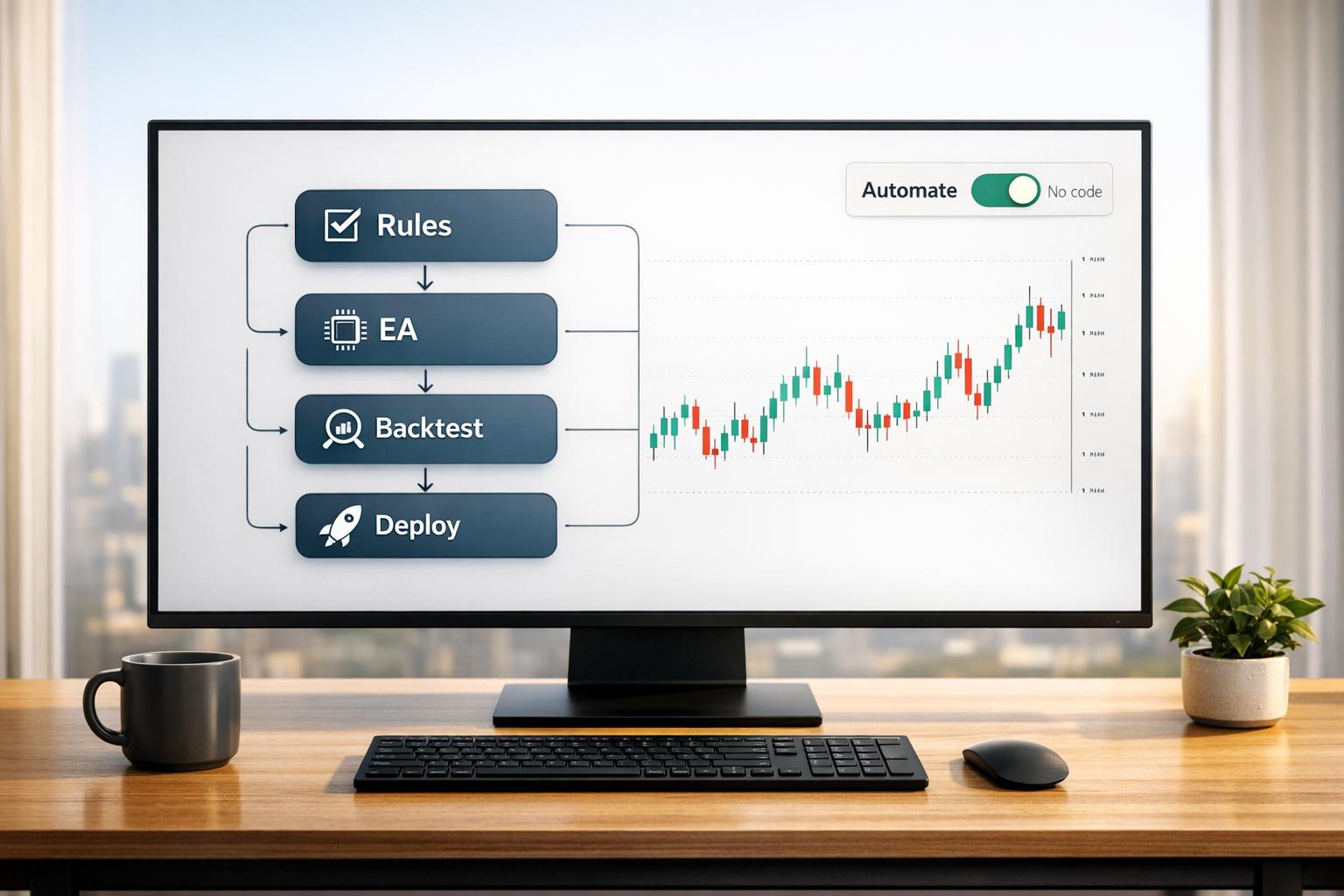
If you’re tired of manually executing trades and want to eliminate emotional decision-making, automation can help. You don’t need coding skills to get started. Platforms like Traidies let you describe your trading strategy in plain English, and their AI tools convert it into MQL5 code for automated trading. Here’s a quick overview of the process:
- Define your strategy: Clearly outline entry/exit rules, risk management, and indicators like RSI or moving averages.
- Use Traidies’ AI: Input your strategy in plain language, and the platform generates the code for you.
- Backtest your strategy: Test against historical data to refine and improve performance.
- Deploy and monitor: Run your bot on a demo account before trading live, and monitor its performance regularly.
Automation ensures your strategy runs 24/7, avoids emotional errors, and captures opportunities while you’re away. With tools like Traidies, automating your trading has never been easier.
How I Built a Trading Robot in 5 Minutes with ZERO Coding
sbb-itb-3b27815
Define Your Trading Strategy First
Before diving into automation, it's crucial to establish a clear, rule-based trading strategy. A trading bot doesn’t make decisions or adapt - it simply follows the rules you provide. As TradeLocker emphasizes:
"A bot is only as good as the strategy it's following, and solid strategy design... is still crucial."
Even a poorly defined strategy will be executed with the same precision as a well-thought-out one. If you can’t summarize your approach in a few clear sentences - covering entry points, exit strategies, and risk limits - it’s likely too discretionary for automation. A well-defined strategy is the backbone of seamless automation.
Your strategy should include specific details like entry signals (e.g., RSI crossovers or moving average patterns), exit rules (such as profit targets or trailing stops), risk management (e.g., limiting position sizes to 1–2% per trade), and the timeframe you’re working with. Without these elements, the AI tool won't be able to generate accurate and effective code. This level of clarity is essential for translating your strategy into automated rules.
Risk management deserves special attention. For example, many bots are programmed to cap losses at 1.5% per trade and use tools like Average True Range (ATR) to adjust position sizes dynamically. This approach helps the bot adapt to market fluctuations instead of risking a fixed amount, regardless of conditions. Considering that 71% of retail investor accounts lose money when trading CFDs, setting clear risk limits before automating is non-negotiable.
Start with a simple strategy to test the waters. For instance, "Buy when the 50-day moving average crosses above the 200-day moving average, exit when RSI exceeds 70, and risk 2% per trade" is straightforward, testable, and ready for automation. Once you’ve validated the basics, you can layer in more complex conditions to refine your approach.
How to Automate Your Strategy with Traidies
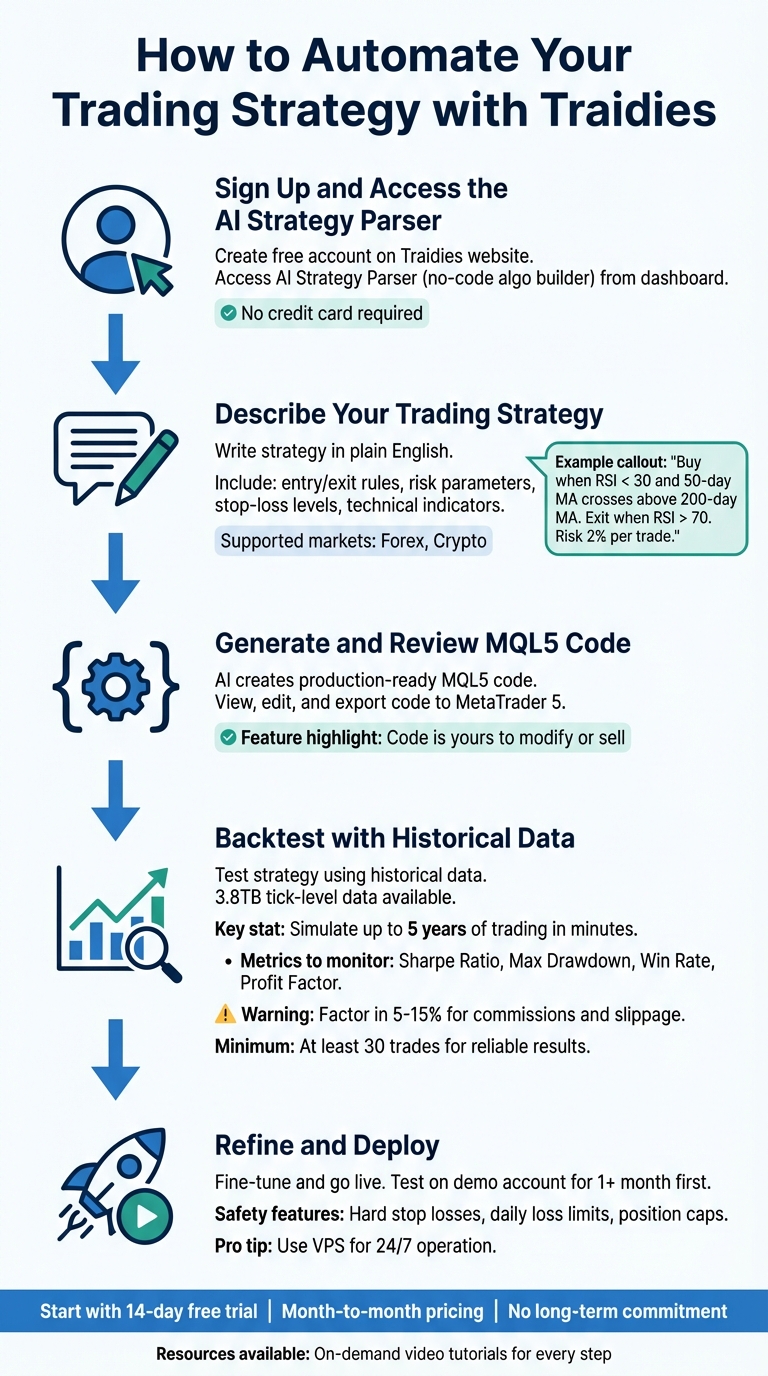
5-Step Process to Automate Trading Strategy with Traidies
Once you've nailed down your trading rules, Traidies helps you turn those ideas into an automated system. Using its AI Strategy Parser, you can convert plain language into MQL5 code - no programming skills needed. Plus, signing up is free, and you won’t need to provide credit card details to get started. Here’s how you can take your trading ideas from concept to a fully automated system.
Step 1: Sign Up and Access the AI Strategy Parser
Head over to the Traidies website and create your account. Once logged in, you’ll find the AI Strategy Parser (also known as the no-code algo builder) waiting for you on the dashboard.
Step 2: Describe Your Trading Strategy in Everyday Language
Write out your trading plan as if you’re explaining it to someone new. Include details like when to enter and exit trades, risk parameters, stop-loss levels, and any technical indicators you want to use. For instance, you might write: "Buy when RSI drops below 30 and the 50-day moving average crosses above the 200-day moving average. Exit when RSI goes above 70. Risk 2% per trade with a stop loss at 1.5%."
The AI will process your description and instantly generate MQL5 code. Want to include popular indicators like MACD or Bollinger Bands? Just mention them - no need to configure anything manually.
"No coding needed - just describe your idea and watch it come to life." - AlgoBuilder
The more precise you are, the better the AI can translate your strategy. Traidies supports major markets, including Forex and Crypto, giving you flexibility for different trading environments.
Step 3: Generate and Review Your MQL5 Code
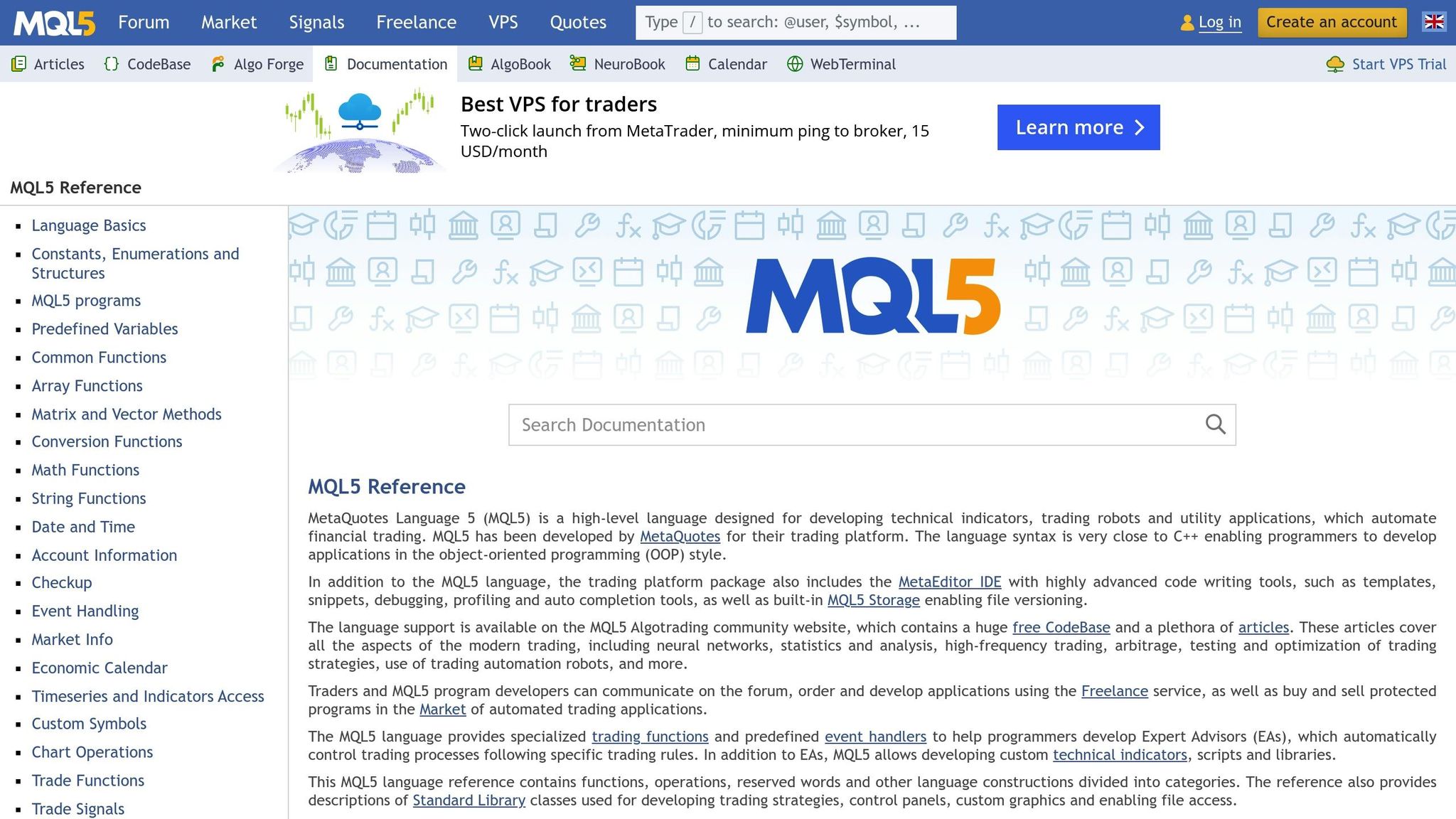
Once your strategy is written, the AI creates production-ready MQL5 code. This isn’t a mystery box - you can see and edit every line. The code is yours to modify, sell, or even use as the foundation for your own platform. When you’re satisfied, export it to MetaTrader 5 (MT5) for live trading or further testing.
Step 4: Backtest Your Strategy with Historical Data
Before going live, test your strategy using Traidies’ historical data tools. The platform offers 3.8TB of tick-level data, allowing you to simulate up to five years of trading in just minutes. In MT5, use the Strategy Tester (Ctrl+R) to see how your MQL5 code performs under historical conditions.
Pay close attention to metrics like Sharpe Ratio, Maximum Drawdown, Win Rate, and Profit Factor. It’s also important to factor in real-world costs like commissions, spreads, and slippage, as these can reduce profits by 5%–15%. To ensure accuracy, avoid look-ahead bias by only using data available at the time of each trade. For reliable results, aim for at least 30 trades in your backtest.
Step 5: Refine and Deploy Your Expert Advisor
Based on your backtest results, tweak your Expert Advisor (EA) to improve its performance. Add features like hard stop losses, daily loss limits, and caps on open positions. You can edit the AI-generated code directly to fine-tune entry and exit points while staying true to your original strategy.
Before going live, test your EA on a demo account for at least a month. When you’re ready, consider using a Virtual Private Server (VPS) to ensure your strategy runs 24/7 without interruptions from local power or internet issues.
Need extra guidance? Many platforms, including Traidies, offer on-demand video tutorials to walk you through the entire process - from writing your strategy to backtesting it.
Traidies Pricing Plans
When automating your trading strategy, choosing the right pricing plan is crucial to accessing the tools and features you need for smooth operation.
Traidies keeps things simple with month-to-month pricing, no setup fees, and no long-term commitments. You can start with a 14-day free trial to explore the platform without any risk before deciding on a paid plan. Every plan includes the core features necessary to automate your strategies.
The plans vary based on account connectivity, supported asset classes, and automation capabilities. For example, entry-level plans focus on stocks and paper trading, while higher-tier plans expand access to options, futures, and cryptocurrencies. Basic plans require manual approval, but paid plans unlock the "Live Auto-Submit" feature for added convenience. Additionally, the number of live and paper trading accounts you can connect depends on your chosen tier.
Flexibility is built in - you can upgrade or downgrade your plan anytime. Upgrades take effect immediately, while downgrades are implemented at the end of the billing cycle. Keep in mind that support levels differ by plan, so if you need more personalized assistance, a higher-tier option might be a better fit.
Plan Comparison Table
| Plan | Price | Best For | Key Features | Limitations |
|---|---|---|---|---|
| Basic | $XX/month | Beginners exploring automation | AI Strategy Parser, MQL5 Generation, Basic Backtesting | Limited backtesting data |
| Pro | $XX/month | Experienced users needing advanced tools | All Basic features, Advanced Backtesting, Customizable Code, Live Auto-Submit | None |
| Enterprise | Custom Pricing | Businesses requiring tailored solutions | All Pro features, Dedicated Support, API Access | Custom pricing based on needs |
Once you've selected a plan, you’ll be ready to monitor and refine your live trading performance with ease.
Monitor and Improve Your Live Trading
Once your automated strategy is live, keeping a close eye on its performance is crucial to adapting to market dynamics. After deploying your Expert Advisor, the real work begins - monitoring its live performance to ensure it aligns with your expectations.
Use your real-time dashboard to stay on top of open positions, profit/loss (P/L), risk exposure, and your equity curve. These tools allow you to spot patterns in performance, like whether your strategy thrives under specific market conditions or struggles during volatile periods.
Pay attention to key metrics such as overall profitability (total P/L, ROI), risk management (maximum drawdown), and execution quality (win/loss ratio, average P/L per trade). The Profit Factor is another useful metric, and reviewing logs can help you identify issues like slippage or delays if live results aren’t matching your expectations. These data points are essential for fine-tuning your strategy.
"Automation allows you to remove emotion, improve consistency, and scale your trading across multiple accounts at once." – TradersPost
Use live performance insights to refine your strategy. For example, if drawdowns are higher than anticipated, consider reducing position sizes or tightening stop-losses. If win rates drop, reevaluate and tweak your entry signals. Maintaining a constant feedback loop ensures your strategy evolves with the market.
Common Mistakes and How to Avoid Them
Even with a well-defined and automated strategy, mistakes can still creep in, often undermining even the most promising approaches. One of the biggest pitfalls? Over-optimization. This happens when a strategy is fine-tuned to perform flawlessly on historical data but falls apart in live markets. Essentially, this means your bot has learned to "memorize" past data rather than identify patterns. The solution? Use the 70/30 rule: optimize your strategy on 70-80% of historical data and validate it on the remaining 20-30% - data the bot hasn’t "seen" before. Without this step, even the best backtest results can be misleading.
Precision is another key ingredient for successful automation. Vague or poorly defined strategy logic can lead to costly mistakes. For instance, if your trading signals lack clear thresholds, your bot won’t know how to act. Make sure every signal is explicitly defined, and always include real-world costs like transaction fees in your testing. Research shows that over 90% of strategies that seem profitable in backtests fail when applied with actual capital.
"Automation isn't a shortcut; it's a multiplier. If your logic is shaky... a bot can repeat a small mistake fast enough to do real damage." – Coin Bureau
Another common oversight is neglecting regular reviews. Markets are dynamic, shifting between trending and consolidating phases, and a strategy that thrives in one condition might falter in another. Solely relying on automation without monitoring leaves your strategy vulnerable to these changes. To stay ahead, set up automated alerts for unusual activity and establish a review schedule. Consider daily checks for technical errors, weekly evaluations for strategy drift, and monthly audits of your assumptions.
Finally, risk management is non-negotiable. Professional traders typically risk just 0.5% to 2% of their account on a single trade and cap daily losses at 2% to 5% of total capital. Without these safeguards, a single volatile day could erase weeks of progress. Implementing these guardrails ensures your strategy can withstand the inevitable ups and downs of trading.
Conclusion
You don’t need any programming skills to automate your trading strategy. With Traidies, you can describe your strategy in plain English, and the platform instantly converts it into fully functional MQL5 Expert Advisors. Its straightforward five-step process - from setting up your account to live deployment - makes automation approachable for everyone.
"A bot executes your plan without hesitation, emotion, or fatigue. It watches markets 24 hours a day, manages many assets and conditions at once, and keeps a consistent record of decisions for review and improvement." – Obside
Automation takes the guesswork out of trading, helping you stick to your strategy even in volatile markets. It also allows for 24/7 market monitoring and ensures consistent execution. Using the platform's backtesting tools, you can test your strategy on historical data, minimizing risk before moving to live trading. These tools emphasize the importance of having a clear, well-thought-out plan before automating.
Start by defining your entry and exit rules, and let Traidies' AI Strategy Parser handle the rest. Test your strategy thoroughly, adjust based on the results, and deploy it with proper risk management. This process not only simplifies automation but also ensures your trading strategy is implemented effectively. Keep in mind, automation amplifies your strategy's results - good or bad - so the quality of your logic is critical.
Whether you’re trading a single asset or managing multiple markets, Traidies equips you with the tools to bring your trading ideas to life. By following these steps, you can transform your strategies into a disciplined, automated system that operates seamlessly.
FAQs
What details should I include so Traidies can automate my strategy correctly?
To set up your trading strategy on Traidies, make sure to outline your trading rules and parameters clearly. Start by defining the assets you want to trade and the technical indicators you'll rely on, such as moving averages or RSI. Then, detail the specific conditions that will trigger buy or sell actions.
Don't forget to include risk management settings. This means specifying your stop-loss and take-profit levels, deciding on position sizing, and choosing your preferred trading timeframes. These elements are key to ensuring your strategy is executed precisely and stays in line with your overall trading goals.
How do I know my backtest results will hold up in live trading?
Backtesting results often fall short of mirroring live trading outcomes because of variables like slippage, transaction costs, and unexpected market swings. To get a clearer picture of how your strategy might perform in real-world conditions, consider forward testing, paper trading, or using simulated environments that closely replicate live markets.
When running backtests, it’s crucial to account for realistic costs and slippage to avoid overly optimistic results. And when transitioning to live trading, starting with small position sizes can help you gauge your strategy's performance without taking on unnecessary risk. This cautious approach allows you to fine-tune your methods based on real-time feedback.
Do I need a VPS to run my Expert Advisor 24/7?
To keep an Expert Advisor (EA) or trading bot running around the clock, you’ll usually need a Virtual Private Server (VPS). A VPS provides the stable environment and low latency necessary for executing continuous trading strategies without interruptions.