AI Tools for Indicator Signal Automation in MQL5

AI Tools for Indicator Signal Automation in MQL5
Automating trading strategies in MetaTrader 5 has become faster and easier with AI tools that generate MQL5 code from plain English descriptions. This article reviews four tools - Traidies, MetaEditor AI Assistant, Owl Helper EA, and NexTrader - each designed to simplify strategy creation, backtesting, and execution for traders of varying skill levels.
Key Highlights:
- Traidies: Converts plain-text strategy descriptions into MQL5 code, supports backtesting, and offers tiered pricing plans.
- MetaEditor AI Assistant: Integrated into MetaTrader 5's IDE, provides real-time code suggestions but requires manual testing.
- Owl Helper EA: Automates trading based on the Owl Smart Levels indicator, with a one-time purchase or rental option.
- NexTrader: No-code strategy setup with real-time AI signals and a library of 100+ indicators, but pricing details are not transparent.
Quick Comparison:
| Tool | AI Code Generation | Backtesting Support | Indicator Compatibility | Pricing Model |
|---|---|---|---|---|
| Traidies | Natural language to MQL5 | Automated historical data | Wide range of indicators | Basic, Pro, Enterprise plans |
| MetaEditor AI | Real-time code suggestions | Manual via MT5 Strategy Tester | MQL5 library indicators | Free (future subscription) |
| Owl Helper EA | Prebuilt for Owl Smart Levels | Tester-ready output | Owl Smart Levels only | $179 or $97/year rental |
| NexTrader | No-code strategy setup | Historical simulation | 100+ indicators | Contact for pricing |
Each tool caters to different needs. Traidies is ideal for quick prototyping, MetaEditor AI Assistant suits experienced coders, Owl Helper EA focuses on a single indicator system, and NexTrader offers a broader no-code trading assistant.
Choose the tool that aligns with your trading style and expertise to save time and refine your strategies effectively.
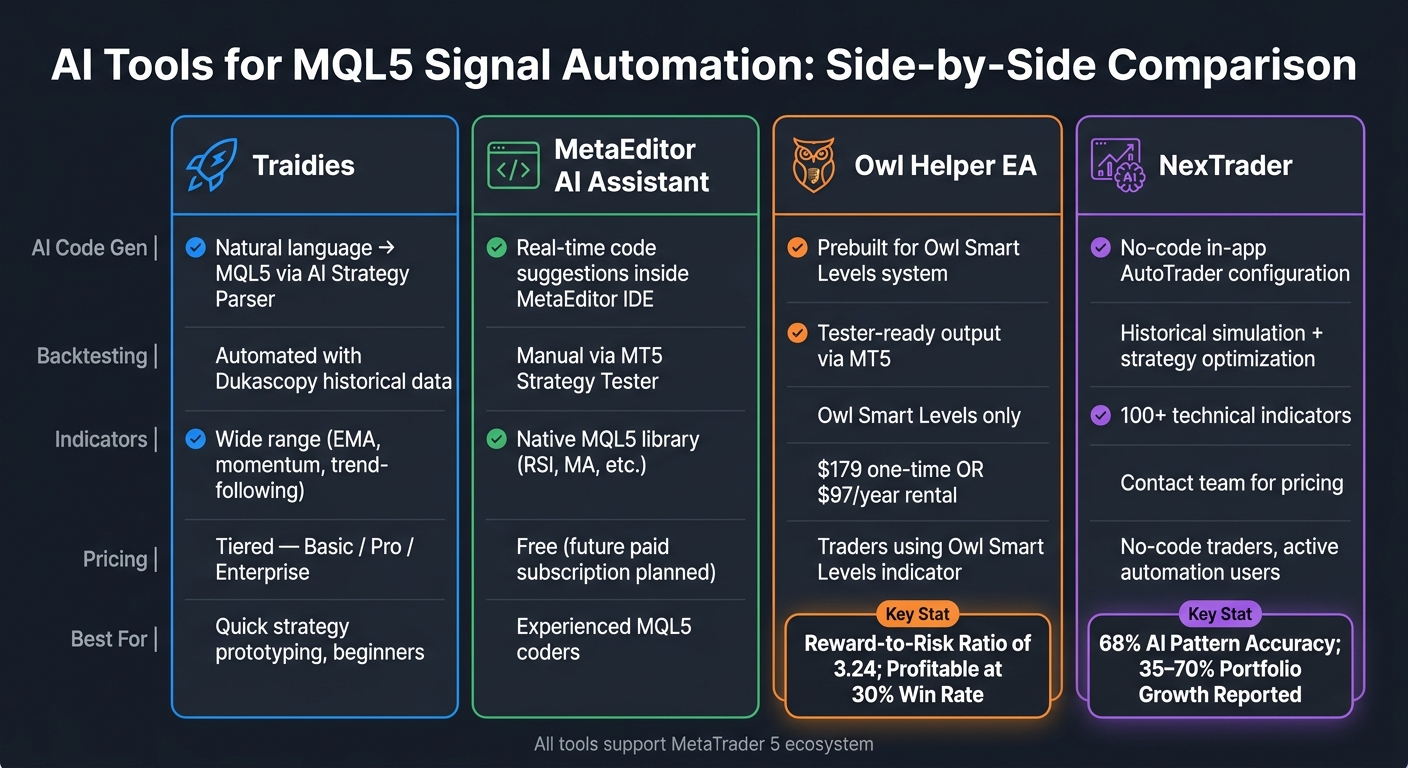
AI Tools for MQL5 Trading Automation: Side-by-Side Comparison
How to Build an MT5 Expert Advisor with ChatGPT Full MQL5 EA Code + Prompts #aitrends #trading
sbb-itb-3b27815
1. Traidies
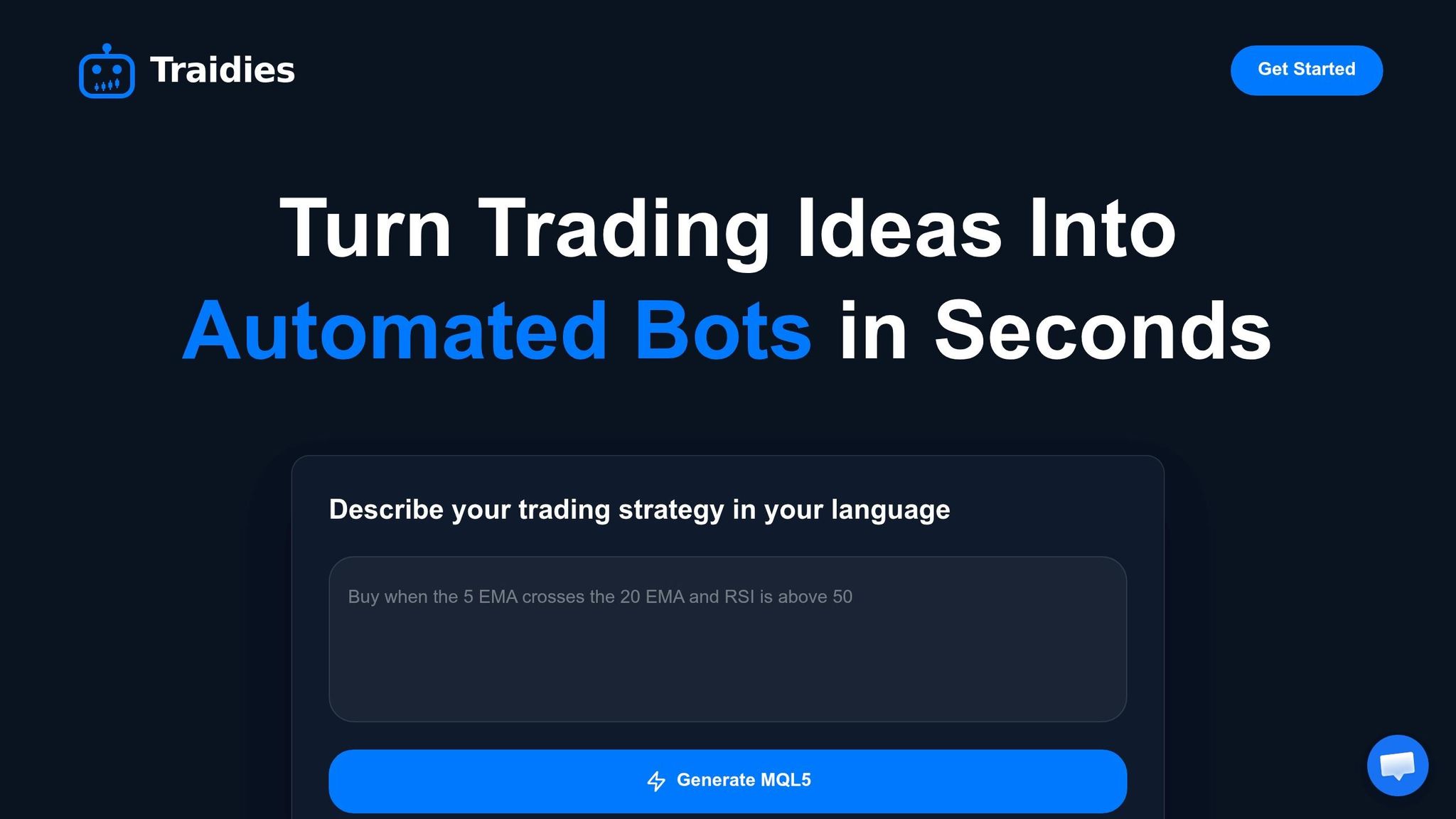
Traidies is designed to help traders automate indicator-based strategies without needing to write a single line of code. It’s an AI-driven platform tailored for those who want to create and execute strategies in MQL5 effortlessly.
AI Code Generation
Traidies simplifies strategy creation by turning plain-text descriptions into functional MQL5 code. You don’t need to know MQL5 or hire a developer. For instance, typing something like "enter long when the 30 EMA crosses above the 50 EMA" is enough. The platform takes your input, generates the code, and even checks if your strategy is workable.
Backtesting Made Simple
Once your strategy is ready, Traidies lets you backtest it using historical data. In just a few minutes, you can evaluate its performance over years of market data. The platform uses candlestick data from Dukascopy, ensuring you get accurate and reliable results.
Broad Indicator Support
Traidies supports a wide range of technical indicators, making it perfect for strategies like EMA crossovers (e.g., 30 EMA and 50 EMA). Whether you’re into momentum, trend-following, or crossover strategies, the platform has you covered.
Flexible Pricing Options
Traidies offers several pricing plans to suit different needs:
- Basic Plan: Includes AI-powered strategy creation, code generation, and basic backtesting.
- Pro Plan: Adds advanced backtesting features and options to customize your code.
- Enterprise Plan: Tailored for teams, this plan includes dedicated support and API access.
With its no-code approach and robust features, Traidies aims to make trading automation accessible to everyone.
2. MetaEditor AI Assistant
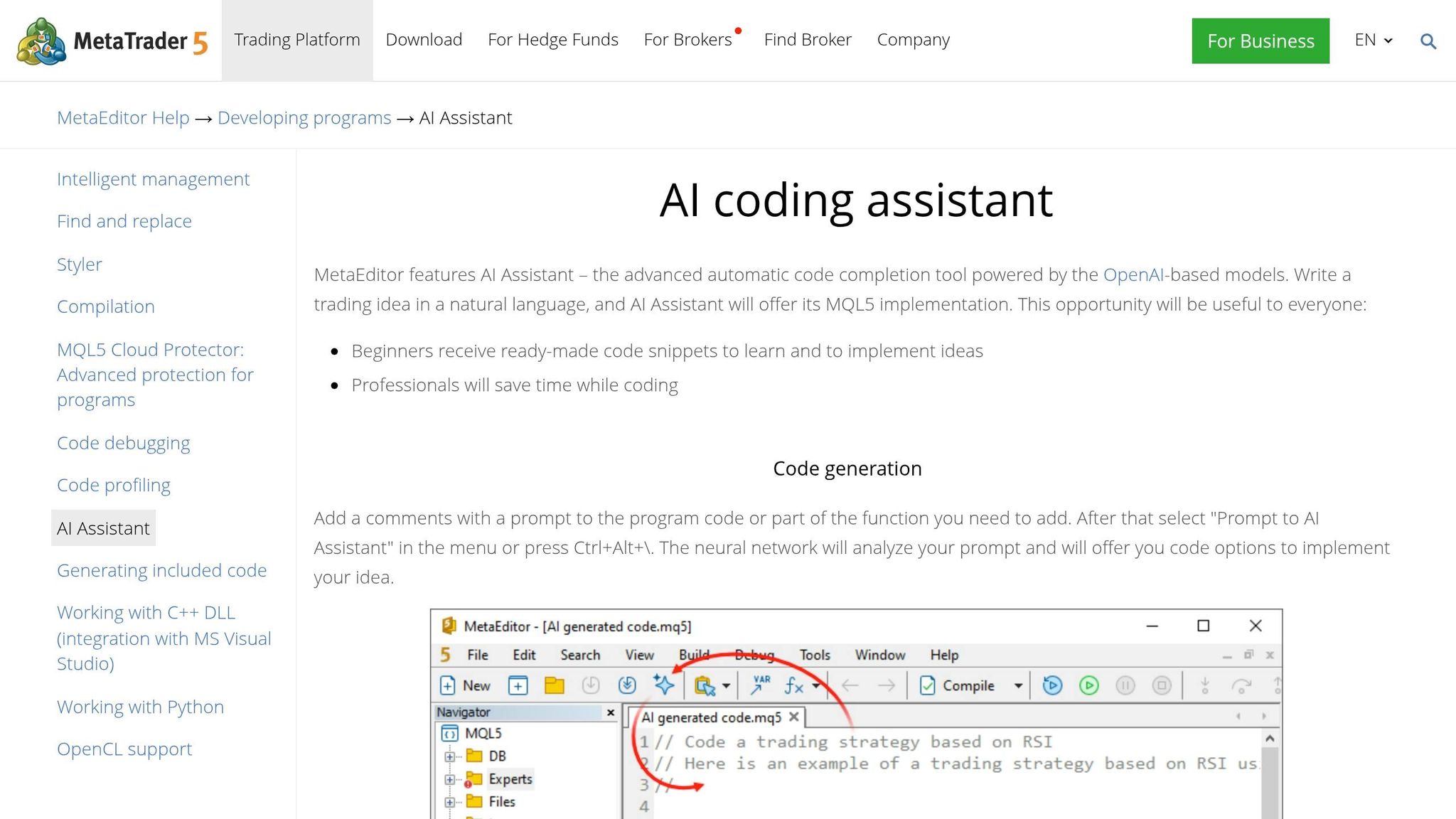
MetaEditor AI Assistant brings AI-driven automation to MQL5 development, integrating directly into MetaEditor - the built-in IDE for MetaTrader 5. With this tool, you can describe your trading ideas as plain-text comments within your code, and it will instantly convert them into MQL5 code. You can activate the assistant using the "Prompt to AI Assistant" menu or the Ctrl+Alt+\ shortcut. This integration streamlines coding and fits smoothly into your MetaTrader 5 workflow.
AI Code Generation
Using the power of GPT-3.5 Turbo, GPT-4 Turbo, and GPT-4o, the assistant can create full templates for Expert Advisors (EAs) or indicators. These templates include input parameters, indicator handles like iRSI and iMA, and basic trading logic. Additionally, it can explain sections of code and fine-tune functions such as CopyBuffer.
"AI Assistant will offer its MQL5 implementation. This opportunity will be useful to everyone: Beginners receive ready-made code snippets to learn and to implement ideas; Professionals will save time while coding." - MetaEditor Help
That said, the generated code often requires testing and adjustments. The assistant may not fully account for MQL5-specific details, such as event handling or buffering logic. As a result, the code should be treated as a draft to build upon.
Backtesting Support
The AI Assistant doesn't handle backtesting directly. Instead, it generates MQL5 source code that you need to compile and test manually using the MetaTrader 5 Strategy Tester. This step requires a foundational understanding of MQL5 to identify and fix logical errors that the compiler might miss.
Indicator Compatibility
The assistant works with a variety of indicators, whether described in natural language or sourced from the MQL5 library. Examples include RSI and moving averages. To achieve the best results, provide detailed prompts, specifying elements like time periods, price types (e.g., PRICE_CLOSE), and error-handling requirements for functions such as CopyBuffer.
Pricing Model
Currently, MetaEditor AI Assistant is free and comes enabled by default in MetaEditor. However, MetaQuotes plans to transition to a paid subscription model, with billing handled via MQL5 account balances. If you already have an OpenAI subscription, you can also integrate it by using your own API key.
3. Owl Helper EA
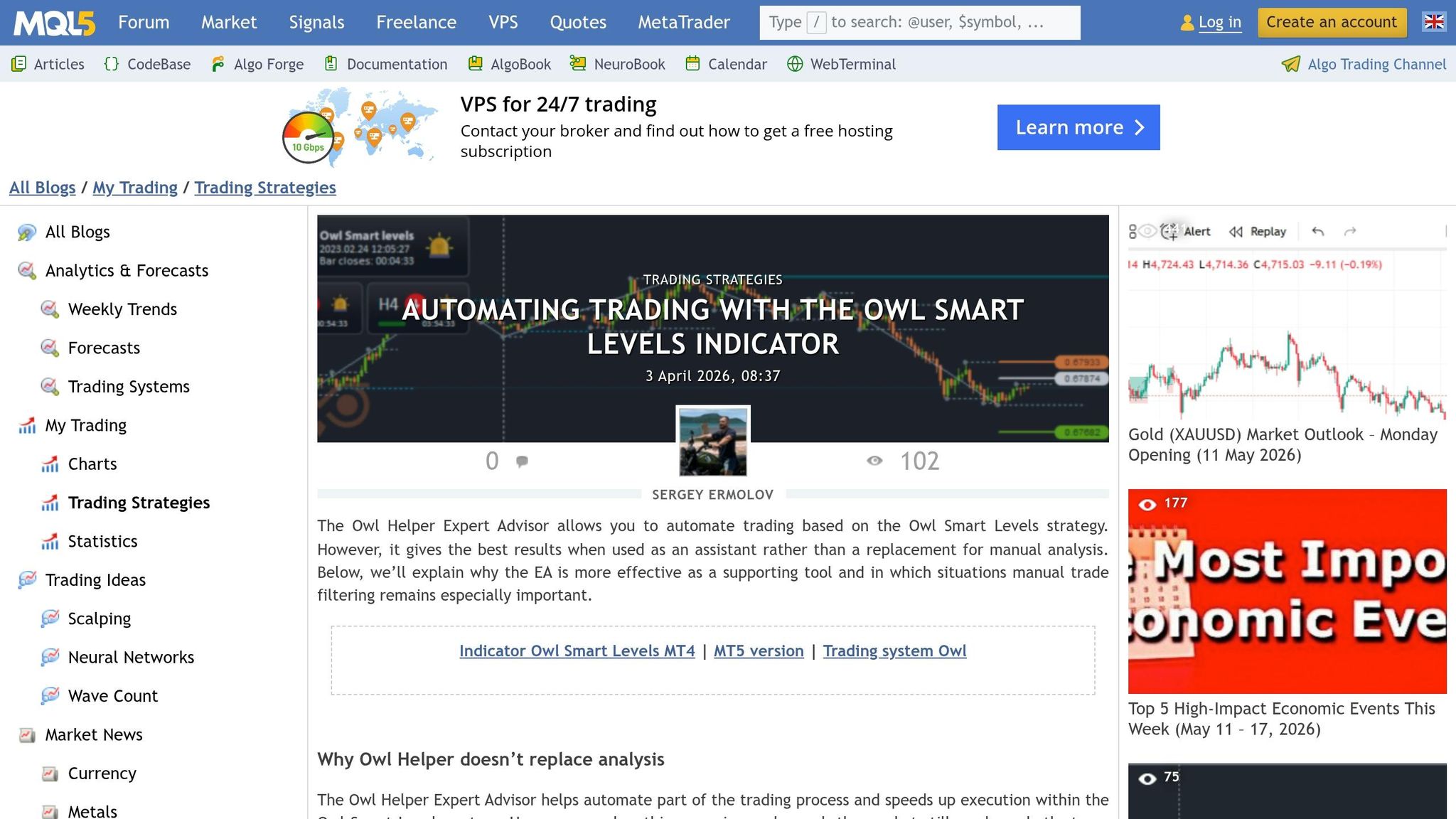
Owl Helper EA is an Expert Advisor designed to automate trading by utilizing signals from the Owl Smart Levels indicator. Here's how it stands out in terms of execution and strategy management.
AI Code Generation
The EA is built around the Owl Smart Levels system, which uses modified Full Fractals (featuring 8 candles instead of the usual 5) and a "Valable ZigZag." It allows for one-click trade entries, adjusts position sizes based on pre-set risk levels, and closes trades when signals are no longer valid. Sergey Ermolov, Founder at MagnumSK, explains:
"The EA speeds up execution, but the final result still depends on which signals the trader chooses to act on."
Backtesting Support
Owl Helper EA can be tested using MetaTrader 5's Strategy Tester. However, its success is influenced by manual decision-making. Published trade reports for pairs like EURUSD, GBPUSD, and AUDUSD showcase how the signals perform across different market conditions.
Indicator Compatibility
This EA is exclusively compatible with the Owl Smart Levels indicator and is designed for trending markets. Traders need to step in during periods of high-impact news or weak market structures, as the EA does not include a built-in news filter. The system's strategy maintains a reward-to-risk ratio of 3.24 and can remain profitable even with win rates as low as 30%.
Pricing Model
Owl Helper EA is available for a one-time purchase of $179 or can be rented for $97/year. For those already using the Owl Smart Levels indicator, the EA is offered as a bonus, making it a budget-friendly addition to the same trading ecosystem.
4. NexTrader
NexTrader is an AI-driven trading assistant tailored for active traders who want the benefits of automation without needing coding skills. Instead of relying on a raw MQL5 editor, it generates real-time AI signals through advanced market analysis and uses its AutoTrader feature to execute trades automatically.
AI Code Generation
With NexTrader, traders can configure strategies using intuitive in-app settings. The AutoTrader then takes over, executing trades based on these strategies. The platform’s AI engine identifies market patterns with a 68% accuracy rate, thanks to its use of advanced technical indicators.
Backtesting Support
NexTrader includes a "Simulate strategy" feature that allows traders to test their no-code strategies against historical data. This helps assess both profitability and risk. Additionally, its "Optimize Strategy" tool fine-tunes parameters such as stop loss, take profit, and entry/exit rules, ensuring strategies are ready for live trading.
"Back-testing strategies with historical data helped me refine my trading plan. Now, I make data-driven decisions with confidence, reducing emotional trading errors." - Emily Robertson, Swing Trader
The backtesting tools have reportedly helped many traders achieve portfolio growth between 35% and 70% after refining their strategies.
To support these refined strategies, NexTrader provides access to an extensive library of advanced indicators.
Indicator Compatibility
The platform boasts a library of over 100 technical indicators. These include tools for momentum measurement, candlestick pattern recognition, institutional order flow analysis, non-repainting indicators, and multi-timeframe confluence. However, a Deriv account is required to unlock the full suite of trading and automation features.
Pricing Model
NexTrader does not offer a standard pricing page. Instead, users must contact the team or click "Get Started" to access the AI Strategy Hub. As of its August 2025 update, the platform has surpassed 5,000 downloads on the Google Play Store.
Pros and Cons of Each Tool
When it comes to automating MQL5 signals, every tool brings something different to the table. No single option fits every trader's needs, so here's a quick breakdown of their key features to help you weigh the pros and cons.
| Tool | AI Code Generation | Backtesting Support | Indicator Compatibility | Pricing Model |
|---|---|---|---|---|
| Traidies | Converts natural language to MQL5 code via AI Strategy Parser | Automated historical backtesting | Customizable Expert Advisors and Indicators | Tiered: Basic, Pro, Enterprise |
| MetaEditor AI Assistant | Real-time code completion and context-aware suggestions | Integrated with MT5 Strategy Tester | Native MQL5 support, though code may need expert review | Free (future subscription options planned) |
| Owl Helper EA | No-code strategy building | Tester-ready output | Built-in signal blocks for indicators like RSI, MACD, MA crossovers | $179 one-time purchase or $97/year rental |
| NexTrader | In-app strategy configuration via AutoTrader | Historical backtesting with simulation and optimization | Library of over 100 technical indicators | Contact team for pricing |
Traidies shines by combining natural language input, instant code generation, and automated backtesting into one seamless experience. It's a great pick for traders who need quick strategy prototyping.
MetaEditor AI Assistant is ideal for those already using MetaTrader 5. While it offers real-time code suggestions, the output often needs additional refinement, making it better suited for experienced users.
Owl Helper EA caters to non-coders, providing an accessible way to create tester-ready strategies. Its simple pricing structure - either a one-time purchase or annual rental - adds to its appeal.
NexTrader provides a no-code approach with a robust library of technical indicators and real-time AI signals. However, its lack of transparent pricing and dependency on a Deriv account might deter some traders.
Each tool simplifies the journey from strategy creation to backtesting, helping traders keep up with the fast-changing demands of the market.
Conclusion
Choose the tool that aligns with your trading expertise and automation goals. Traidies offers a comprehensive platform for transforming strategy concepts into tested MQL5 code. With features like the AI Strategy Parser, fast MQL5 code generation, and automated backtesting, it provides a seamless experience for traders looking to streamline their workflow.
For experienced MetaTrader 5 users, the MetaEditor AI Assistant is a valuable companion. It integrates directly into the IDE, offering real-time coding support - ideal for those who prefer hands-on development within the MetaEditor environment.
"Relying solely on AI without human oversight is risky, especially in financial applications where errors can be costly." - Trading Strategies Academy
FAQs
How do I describe my indicator strategy so the AI generates correct MQL5 code?
To get accurate MQL5 code from the AI, it's crucial to provide a clear and detailed explanation of how your indicator should work. Be specific about the following:
- Input Parameters: Define the variables users can adjust, such as period lengths, moving average types, or threshold values.
- Signals: Explain what triggers a buy or sell signal - this could be crossing specific levels, changes in trend direction, or other conditions.
- Behavior: Describe how the indicator should behave under different market conditions. For example, should it filter out noise or focus on long-term trends?
Using structured descriptions or pseudocode can make things even clearer. For instance, outline how calculations work (e.g., "Calculate the moving average using a 14-period SMA") or specify signal conditions ("Trigger a buy signal when the fast EMA crosses above the slow EMA"). This approach helps the AI better understand your strategy and produce functional, efficient code.
What should I verify before trusting AI-generated signals in live trading?
Before using AI-generated signals for live trading, it's crucial to test their accuracy through thorough backtesting. Make sure the signals are based on reliable data and take into account current market conditions. Keep in mind that AI signals might not always align with real-time events or sudden market volatility. Proper testing can help reduce risks and lead to more informed trading decisions.
Can I backtest the generated bot on U.S. brokers and U.S. market hours?
Yes, you can use MQL5 to backtest the generated bot with U.S. brokers and their market hours. MetaTrader 5 offers tools for automated trading and strategy testing, ensuring compatibility with U.S. brokers and their trading schedules.