Best Trading Automation Tools for Beginners in 2026
Best Trading Automation Tools for Beginners in 2026
By 2026, trading automation tools have become more accessible, especially for beginners. These platforms simplify strategy creation with no-code interfaces, AI-driven tools, and easy backtesting options. Whether you're looking to automate trades in Forex, stocks, or crypto, there are plenty of affordable and user-friendly options available.
Here’s a quick overview of the best tools for beginners:
- MetaTrader 5: Free to use, includes the MQL5 Wizard for no-code strategy creation, and offers advanced backtesting tools.
- Traidies: AI-powered, converts plain English strategies into code, and provides backtesting with historical data.
- TradeStation: Uses EasyLanguage for strategy building and includes powerful backtesting tools. Requires a $10,000 balance for AI features.
- NinjaTrader: Offers a no-code Strategy Builder and advanced backtesting with historical data. Free for simulation; live trading requires a subscription or lifetime license.
- ProRealTime: Features Assisted Mode for no-code strategy creation and offers server-side execution. Free through sponsored brokers or starting at $32/month.
- Capitalize.ai: Completely no-code and uses natural language commands for strategy creation. Free with partner brokers like Kraken or Interactive Brokers.
Quick Comparison:
| Platform | Cost | Coding Required | Execution Type | Best For |
|---|---|---|---|---|
| MetaTrader 5 | Free (optional VPS $30) | Optional (MQL5) | Client-side | Multi-asset trading |
| Traidies | Subscription-based | None (AI-driven) | Client-side | AI-powered strategies |
| TradeStation | Free ($10K min balance) | Low (EasyLanguage) | Client-side | Advanced analysis |
| NinjaTrader | Free/$99 or $1,499 | None | Client-side | Futures trading |
| ProRealTime | Free/$32–$91/month | None (Assisted Mode) | Server-side | Beginners and reliability |
| Capitalize.ai | Free (via brokers) | None (Plain English) | Server-side | Complete beginners |
These tools make trading automation easier than ever. Start with free options like MetaTrader 5 or Capitalize.ai to test strategies without upfront costs. For advanced features, platforms like TradeStation or NinjaTrader are great options.
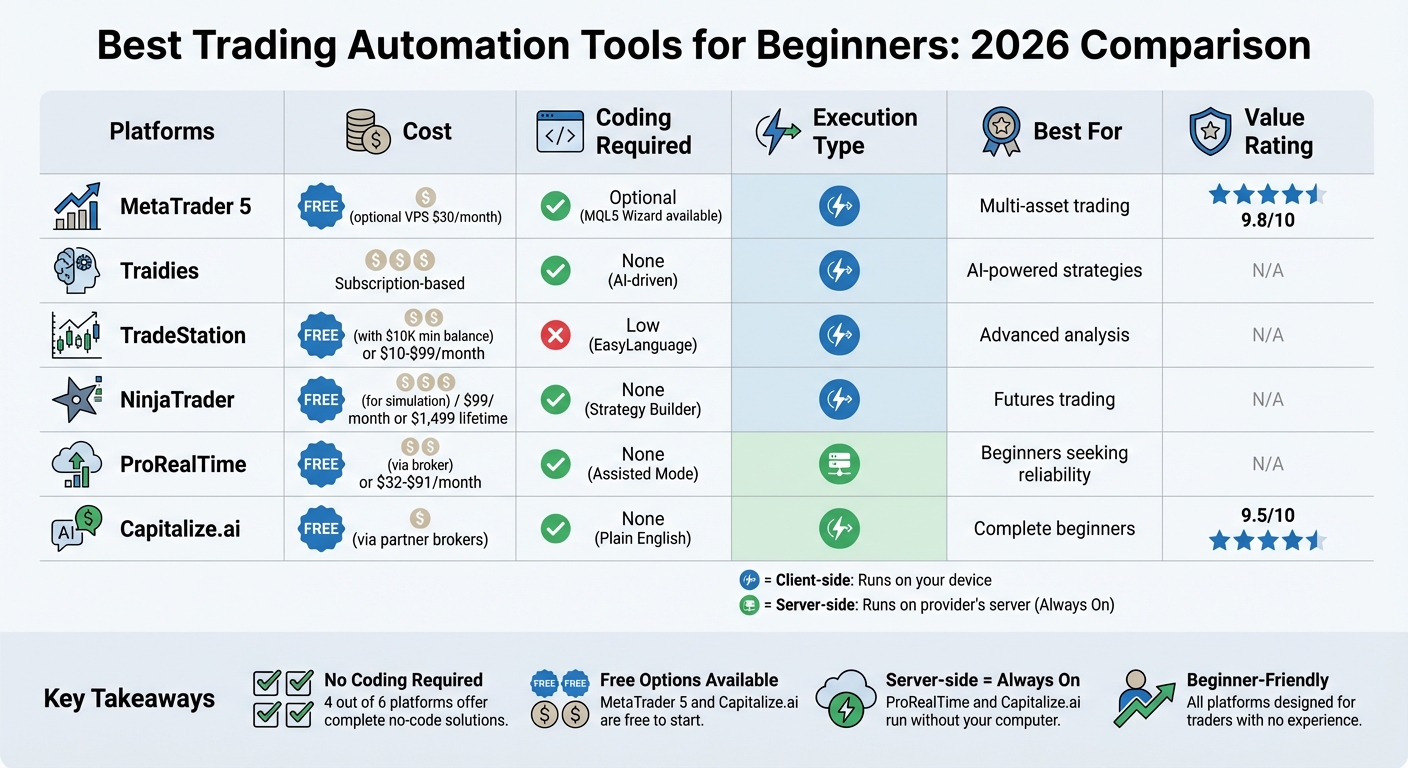
Trading Automation Platforms Comparison: Features, Pricing & Best Use Cases for Beginners 2026
1. Traidies
AI-powered automation and natural language support
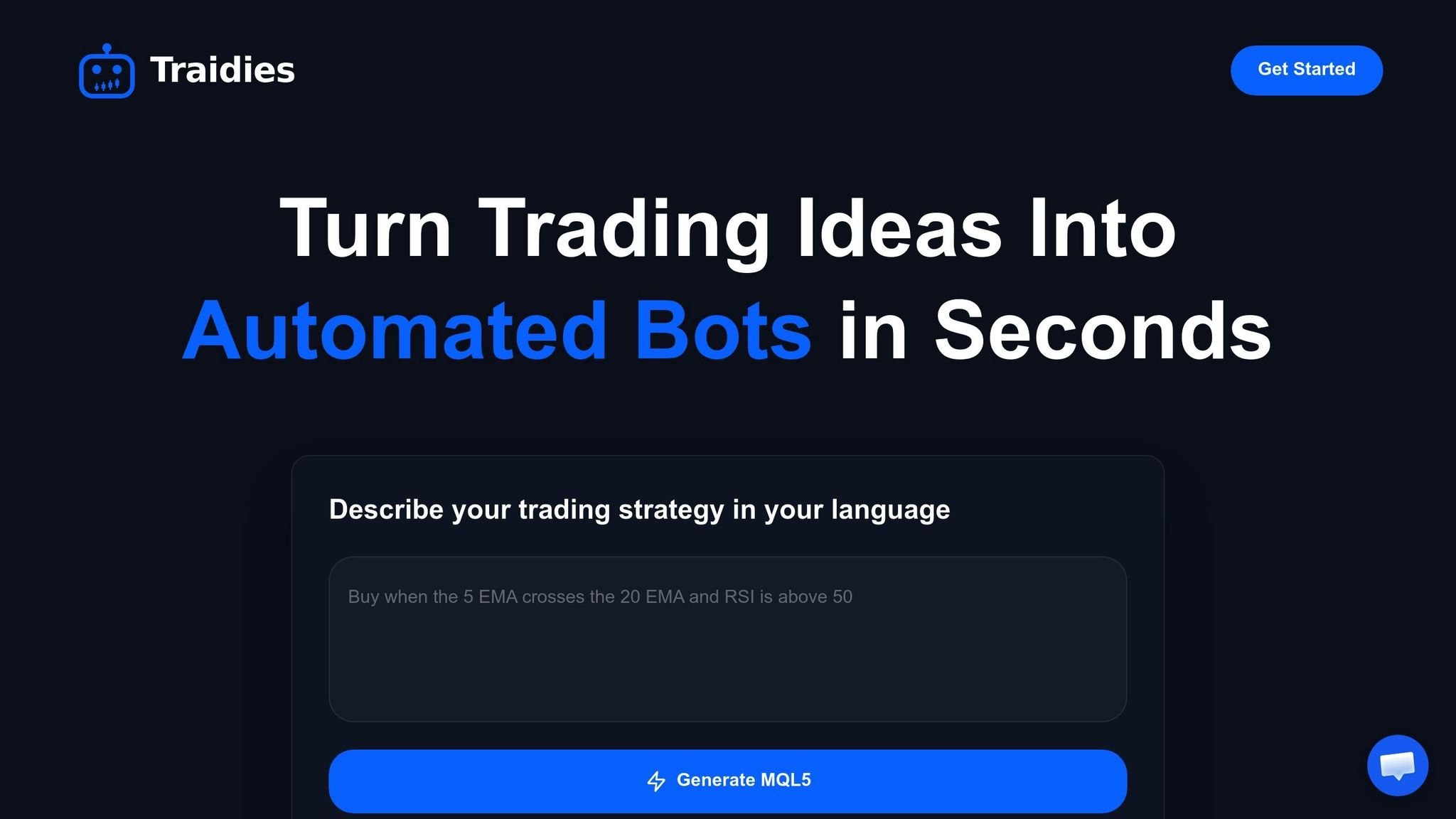
Traidies breaks down coding barriers by allowing users to describe their trading ideas in plain English. The platform's AI takes these descriptions and transforms them into actionable strategies, complete with logic, parameters, and performance projections. It even refines your queries in real time, asking follow-up questions to sharpen your strategy. This helps address potential issues like unclear entry rules or missing risk parameters before testing.
No-code strategy creation
With its "Chat with AI" feature, Traidies enables you to create automated trading strategies without needing to write a single line of code. Simply explain your entry and exit rules, risk filters, or stop-loss logic in a conversational way, and the AI instantly generates MQL5 code. You focus on the strategy's logic, while Traidies handles the technical execution. Once your strategy is finalized, you can export it to MetaTrader with just one click, making deployment seamless.
Backtesting capabilities on historical data
Traidies provides access to 3–5 years of Dukascopy candlestick data, allowing you to test your strategies against historical market conditions. Using its natural language backtesting feature, you can describe your entry and exit logic in plain English and see how it would have performed - no coding required. The platform also includes advanced tools like the AI Scenario Builder, which identifies specific market setups in historical data, and the AI Data Analysis Agent, which answers questions about charts to provide quick insights. These features let you validate your strategies across different market scenarios before committing any capital.
Next, take a look at MetaTrader 5's MQL5 Wizard for another beginner-friendly option for automating trading strategies.
2. MetaTrader 5 with MQL5 Wizard
No-code or beginner-friendly strategy creation
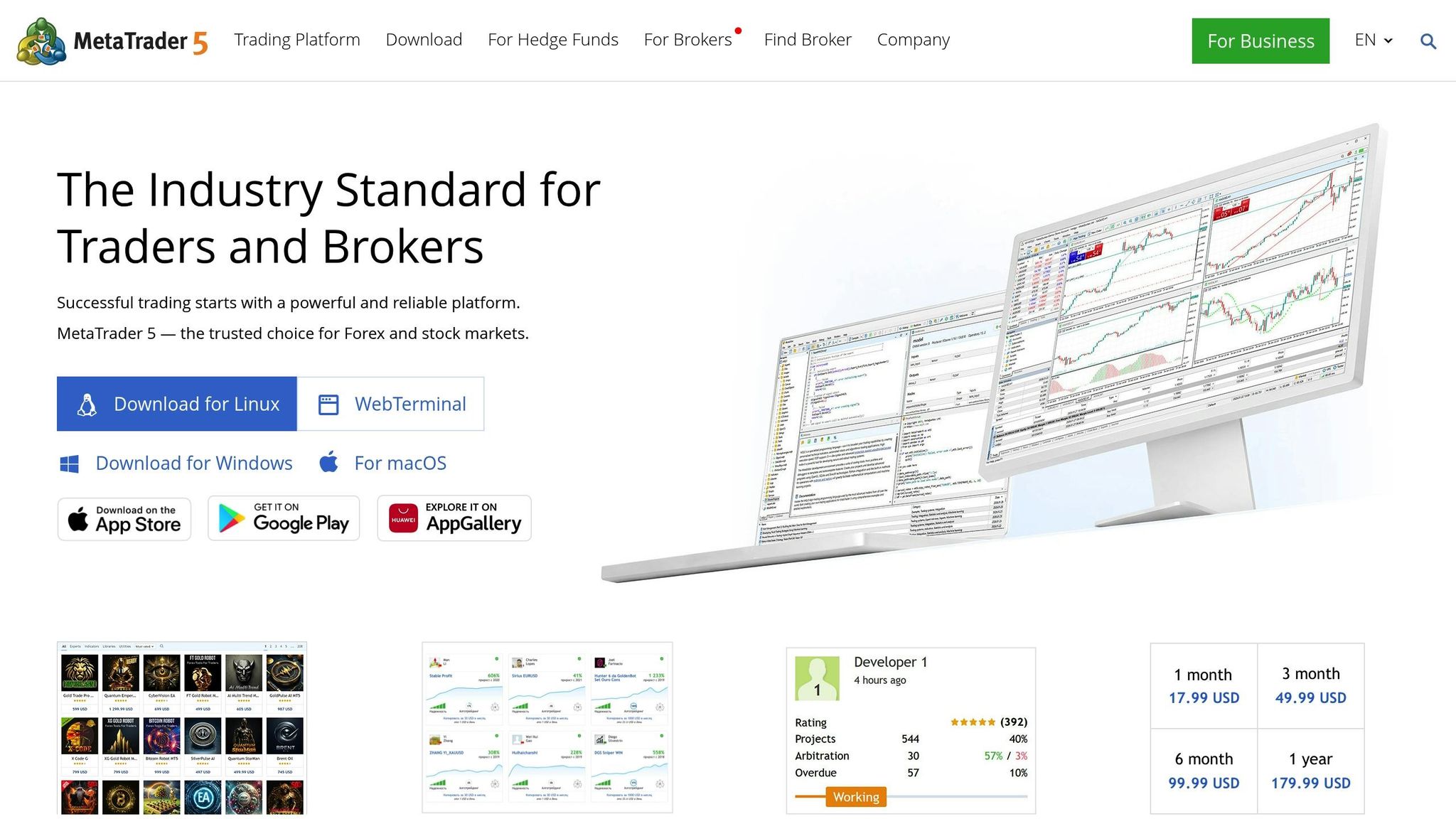
MetaTrader 5 makes strategy creation accessible to everyone with its MQL5 Wizard. This tool simplifies the process into four straightforward steps, requiring no coding experience. Through the MetaEditor interface, you can select your trading symbol and timeframe, then choose from 20 prebuilt trading signals, including popular indicators like Moving Averages and Stochastic Oscillators. The Wizard uses a block-based approach to combine trading signals, money management rules, and trailing stops, generating complete MQL5 code in moments. For more advanced strategies, you can combine multiple signals - for example, using an EMA on one timeframe to confirm a signal on another. Once your strategy is ready, MetaTrader 5 provides extensive backtesting tools to help you fine-tune it.
"Any MetaTrader 5 user can create a custom Expert Advisor without even knowing how to program in MQL5." - MQL5 Articles
Backtesting capabilities on historical data
The Strategy Tester in MetaTrader 5 offers multiple modes to validate and refine your strategies. For a balance of speed and accuracy, the "1 minute OHLC" mode simulates the Open, High, Low, and Close of each 1-minute bar. If you need the highest level of detail, the "Every tick" mode replicates every price movement. The platform also features Visual Testing, which lets you watch your Expert Advisor execute trades on historical charts in real-time - perfect for spotting potential issues before using real money. To ensure accuracy, at least 100 bars of historical data are required for calculations. Additionally, the Forward Testing feature splits your data into separate sets, allowing you to optimize strategies and verify their performance on unseen data. These features make MetaTrader 5 a practical choice, even for beginners.
Affordability and pricing options for entry-level traders
MetaTrader 5 is free to download and use, with most Forex and CFD brokers offering it at no cost. The MQL5 Wizard is included in the platform, so creating and testing Expert Advisors doesn't come with extra fees. Backtesting runs locally on your computer, eliminating additional costs. For traders needing to optimize complex strategies with thousands of parameter combinations, the MQL5 Cloud Network provides distributed computing power. While this service comes with a fee, it significantly reduces optimization time, turning days of work into just hours. This combination of free tools and optional premium features makes MetaTrader 5 both beginner-friendly and adaptable to more advanced needs.
3. TradeStation
AI-Powered Automation and Natural Language Support
TradeStation's 2026 MCP simplifies trading by turning plain language instructions into automated orders. You just describe your strategy in everyday terms, and the platform's AI takes care of the technical side.
"Strategize, analyze, tinker, and execute in plain language, using your own words instead of custom code." - TradeStation
To access this feature, you'll need a $10,000 account balance and a Claude Pro subscription. Additionally, explicit order confirmations ensure you stay in control. This smooth transition from language to code makes it easier than ever to create strategies using TradeStation's EasyLanguage.
Beginner-Friendly Strategy Creation Without Coding
TradeStation's EasyLanguage makes strategy creation accessible, using plain English syntax to streamline the process. After crafting a strategy, the platform automates calculations and generates entry and exit orders for you.
For those new to trading, the RadarScreen® tool is a great starting point. It can monitor up to 1,000 symbols in real time, offering over 180 customizable technical and fundamental indicators. Once your strategy is ready, TradeStation's robust backtesting tools help verify its effectiveness.
Backtesting Strategies with Historical Data
TradeStation doesn't just let you build strategies - it puts them to the test. Using decades of historical data, the platform evaluates strategies across stocks, ETFs, futures, forex, and cryptocurrencies. This two-step process involves initial backtesting followed by real-time chart analysis, complete with clear graphical entry and exit signals.
The Strategy Performance Report provides a detailed breakdown, including performance summaries, trade analysis (like streaks and drawdowns), a full trade list, and returns over various periods (daily, weekly, monthly, yearly). When setting up backtests, it's important to configure the "Max Bars Back" parameter to ensure enough data is included - for example, a 200-period moving average requires at least 201 bars. To get a more accurate picture, consider real-world costs like commissions and slippage in your analysis.
Pricing and Options for New Traders
TradeStation offers two main ways to get started: open a brokerage account (with software fees waived if you meet trading activity requirements) or subscribe to the standalone Analytics plan for $99.99 per month. Brokerage accounts come with a $10 monthly inactivity fee unless you meet the minimum trade requirements.
For Tier 1 traders (0–500 options contracts or 0–100,000 shares monthly), options cost $0.80 per contract, regular futures trade at $1.75 per contract, and stocks and ETFs have $0 commission.
To use the MCP, you'll need a $10,000 minimum balance and a Claude Pro subscription. Advanced portfolio backtesting through Portfolio Maestro is also available for $59.95 per month. For beginners, the Simulated Trading account is a great way to practice strategies with historical data before committing real money.
4. NinjaTrader

No-Code Strategy Creation with Point-and-Click Tools
NinjaTrader's Strategy Builder is a game-changer for those new to trading automation. It removes the need for coding by allowing you to create strategies through simple drop-down menus and checkboxes. You can easily define entry and exit signals, set conditions, and incorporate risk controls - all without writing a single line of code.
"The NinjaTrader Strategy Builder makes it possible to design, test, and deploy automated futures strategies - no coding required." - NinjaTrader
The platform also features the AI Generate tool, which uses genetic algorithms to optimize strategies by analyzing up to 73 indicators and 25 candlestick patterns. To ensure reliability, it runs Monte Carlo simulations to establish a 95% confidence interval for its results. Keep in mind, though, that this process can be resource-intensive, sometimes taking hours for more complex optimizations.
Adding to its automation capabilities, the Automated Trade Management (ATM) feature places stop-loss and take-profit orders within milliseconds of a trade entry. This helps traders stick to their strategies and avoid emotional decision-making.
Backtesting and Practice Tools for Risk-Free Learning
NinjaTrader's Strategy Analyzer provides access to a 25-year 1-minute dataset for backtesting. This allows traders to evaluate their strategies with detailed results displayed on price charts. By factoring in commission and slippage settings, the platform delivers a realistic simulation of trading conditions.
For hands-on practice, the Market Replay feature offers tick-by-tick playback of historical data. With up to 90 days of high-detail data, you can refine your execution and test strategies in a risk-free environment. The unlimited simulation mode is especially helpful for beginners looking to build confidence.
Affordable Pricing with Zero Minimum Deposit
NinjaTrader makes it easy to get started with no minimum deposit required to open an account. The platform offers three pricing options:
- Free Plan: Includes unlimited simulation and backtesting.
- Monthly Plan: Costs $99 and enables live trading.
- Lifetime License: A one-time fee of $1,499 for permanent access.
For those just starting out, Micro contracts (1/10th the size of standard contracts) are available, with intraday margins starting at just $50. Commission rates vary depending on the plan - Free Plan users pay $0.39 per Micro contract, while Lifetime License holders enjoy reduced rates as low as $0.09. Be aware of additional costs, such as a $35 inactivity fee, as well as market data and routing fees.
5. ProRealTime
No-Code Strategy Creation with Assisted Mode
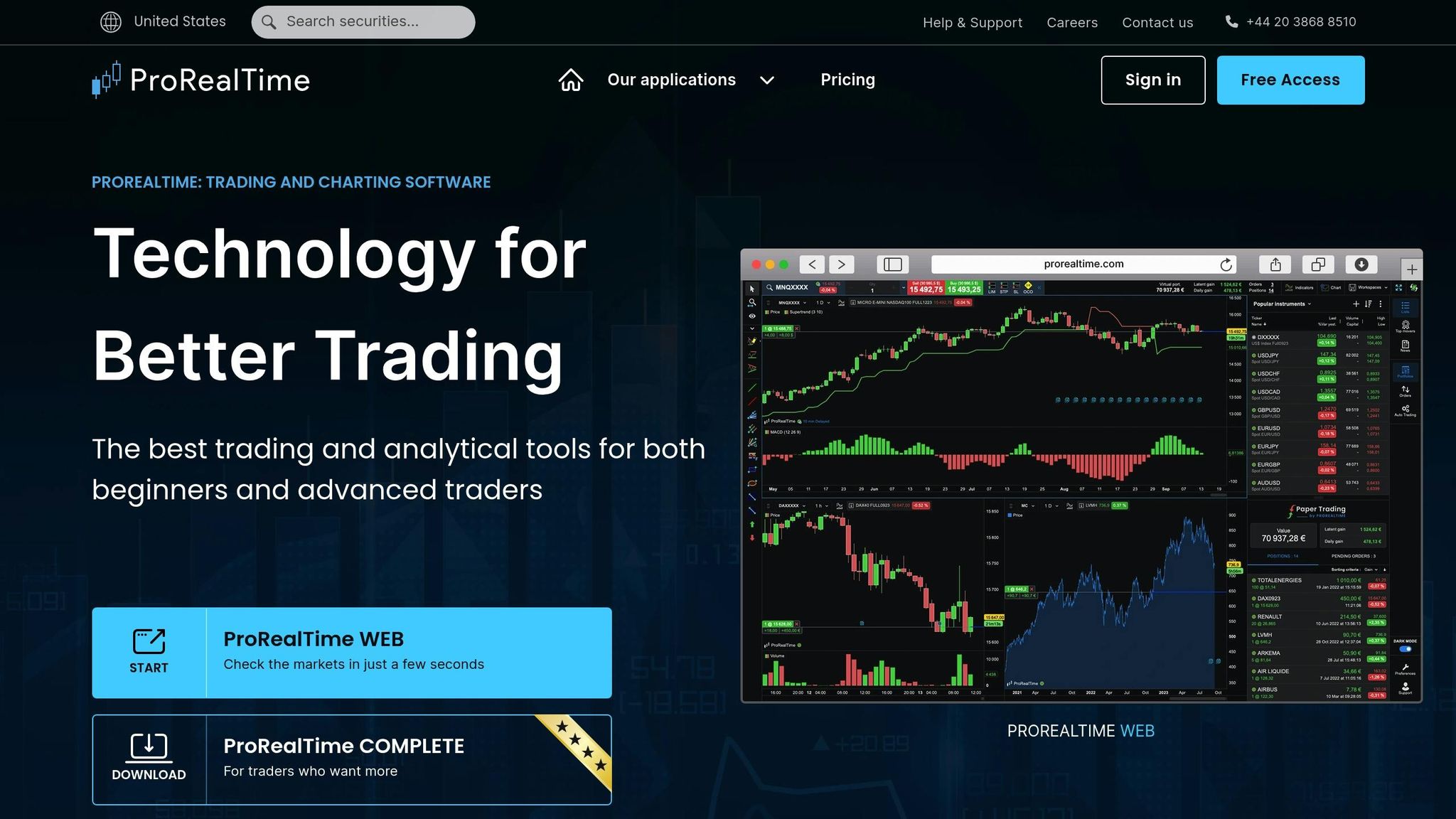
ProRealTime simplifies trading automation for beginners with its Assisted Creation feature. This point-and-click interface allows users to build trading systems without any coding skills. By selecting the "New" button in the ProBacktest & Automatic Trading tab, you can define buy and sell conditions using dropdown menus. For instance, you might choose "Cross Over" from your chart indicators to create an entry signal.
"Because we want to make automatic trading more accessible, we also give you the possibility to create trading systems with no programming required." - ProRealTime
For those seeking more customization, the ProBuilder language offers an approachable way to refine strategies. Designed with non-programmers in mind, it features an intelligent code editor with real-time error checking, automatic formatting, and built-in help menus. Alternatively, if you'd prefer to let the platform do the heavy lifting, ProRealQuant can generate up to 200 randomized strategies in one search using your chosen indicators and risk constraints.
Once your strategy is ready, ProRealTime’s backtesting tools ensure it’s fine-tuned for the real world.
Backtesting with Years of Historical Data
ProRealTime’s ProBacktest module provides access to several years of intraday historical data, enabling you to test strategies without risking real money. Its cloud-based processing delivers results in seconds with tick-by-tick accuracy. Detailed reports break down over 30 performance metrics, such as maximum drawdown, gain/loss ratio, and average time in the market. Additionally, the Optimization tool allows you to test multiple parameter ranges - like periods between 50 and 200 - to find the most effective settings for your strategy.
When you’re confident in your results, you can switch to PaperTrading mode. This lets you observe your system’s performance in real-time market conditions using a virtual portfolio, keeping your finances safe while you fine-tune your approach.
Free Access Through Sponsored Broker Accounts
ProRealTime offers flexible pricing options. The Web version is completely free, ad-free, and includes core features like AI trend lines and paper trading. For advanced tools, the Complete version costs $32 per month (excluding VAT) and includes features like ProOrder AutoTrading and ProBacktest. The Premium version, priced at $91 per month, adds up to 1 million candles of historical data.
Active traders can access the platform for free through sponsored broker accounts like IG. These accounts often include the Premium version, along with direct support and programming assistance. Additionally, all plans provide real-time data for major markets - such as Forex, cryptocurrencies, and CBOE US/European stocks - at no extra cost.
sbb-itb-3b27815
6. Capitalize.ai
AI-Powered Automation and Natural Language Support
Capitalize.ai takes the complexity out of coding by allowing you to create trading strategies in plain English. Instead of mastering programming languages, you can type commands like "Buy BTC if RSI drops below 30", and the platform's interpreter translates your input into actionable trading logic. This natural language processing feature supports strategies built with technical indicators such as RSI, MACD, Moving Averages, and Bollinger Bands.
"Plan like a human. trade like a machine" - Capitalize.ai
The platform operates 24/7, keeping a constant eye on the markets and executing trades automatically when your conditions are met - even while you sleep. This continuous monitoring helps remove emotional biases from trading decisions, ensuring you don’t miss profitable opportunities.
No-Code Strategy Creation
Capitalize.ai’s Strategy Creation Wizard simplifies the process of building trading strategies with user-friendly prompts and dynamic keyword suggestions. You can choose an asset, define entry and exit conditions, and establish risk management rules using dropdown menus and text boxes. If you’re stuck, the "Inspiration" icon provides ready-made templates and ideas for entry conditions.
The platform also includes a comprehensive Strategies Library, offering live examples you can explore, import, or customize to fit your trading goals. Features like trailing stops, take-profit/stop-loss orders, and Dollar Cost Averaging (DCA) are easy to implement with simple text commands. Once your strategy is ready, you can test its effectiveness using historical data.
Backtesting Capabilities on Historical Data
Capitalize.ai allows you to test your strategies on 90 days of historical data to evaluate their performance. The backtesting tool provides detailed analytics, helping you identify and address potential issues. Once you’re happy with the results, you can move to Live Simulation (paper trading) mode to test your strategy on real-time data without financial risk.
"Capitalise.ai has emerged as a game-changer in the realm of trading automation and analysis, allowing traders with no coding skills to test and fully automate their trading strategies." - Josh Melunsky
Affordable Options for Entry-Level Traders
After fine-tuning your strategy through backtesting, Capitalize.ai offers budget-friendly access. The platform is completely free when used via partner brokers like Interactive Brokers, Fidelity, or AvaTrade. Since its acquisition by Kraken in August 2025, its technology has been integrated into the Kraken Pro suite, making it available to Kraken users as part of their trading fees. With a 4.5/5 Editor's Choice rating and over 4 stars on Trustpilot, users have described it as "the best thing for strategy testing - so easy!".
How to automate any trading strategy with NinjaTrader
Feature and Price Comparison
Here’s a quick breakdown to help you compare platforms based on cost, ease of use, and functionality. This will make it easier to pick the right tool for your beginner trading needs.
Your choice will depend on your budget, coding skills, and trading objectives. The platforms discussed here cater to a variety of users, offering everything from free tools to premium options with subscription fees or one-time payments.
MetaTrader 5 and Capitalize.ai are great starting points since both are free to download and use with supported brokers. While MetaTrader 5 has no minimum balance, you might want to set aside about $30/month for VPS hosting if you need your bots to run continuously. TradeStation eliminates platform fees if you maintain a $2,000 minimum balance or meet active trading criteria; otherwise, fees range from $10 to $99/month. NinjaTrader offers free access for simulation and backtesting, but live trading requires either a $99/month lease or a $1,499 one-time lifetime license. ProRealTime costs around $29/month but can be accessed for free through broker partnerships if you meet specific trading activity thresholds.
These pricing models also influence how strategies are executed. Server-side execution, available with ProRealTime and Capitalize.ai, ensures your trades are handled on their servers. This means your strategies will run even if your computer is off or your internet connection fails. On the other hand, platforms like MetaTrader 5, TradeStation, and NinjaTrader rely on client-side execution, requiring your device to stay powered on or the use of a VPS for uninterrupted performance.
For ease of use, Capitalize.ai shines with a 9.5/10 rating, thanks to its straightforward no-code interface. ProRealTime is also praised for its user-friendly design. If you’re open to a bit of a learning curve, MetaTrader 5’s MQL5 Wizard helps you create trading bots in just a few clicks without needing to write code. Similarly, TradeStation’s EasyLanguage uses plain-English syntax, making it simpler than traditional programming languages.
Here’s a summary table for a side-by-side comparison of pricing, coding needs, and execution methods:
| Platform | Monthly Cost | Coding Required | Execution Type | Best For | Value Rating |
|---|---|---|---|---|---|
| MetaTrader 5 | Free (optional $30 VPS) | Optional (MQL5 Wizard) | Client-side | Multi-asset standard | 9.8/10 |
| TradeStation | Free ($2K min) or $10–$99 | Low (EasyLanguage) | Client-side | Professional analysis | - |
| NinjaTrader | Free (sim) / $99 or $1,499 | None to High | Client-side | Futures specialists | - |
| ProRealTime | ~$29 (or free via broker) | None to Low | Server-side | Reliability & no-code | - |
| Capitalize.ai | Free (via partner brokers) | None (Plain English) | Server-side | Complete beginners | 9.5/10 |
This table and comparison help you identify the best beginner-friendly automation platform that matches your trading goals and technical preferences.
Conclusion
Trading automation in 2026 has become beginner-friendly. The platforms highlighted here break down traditional barriers with no-code interfaces, plain-English strategy builders, and integrated risk controls that help protect your capital as you learn. You don't need coding expertise or years of market experience to confidently start automating your trades. This shift means there's a tool out there for every beginner, tailored to fit individual trading styles.
Finding the right tool for your needs is essential. Whether it's the simplicity of no-code interfaces or the sophistication of AI-powered strategy builders, choosing the right platform makes all the difference. Consider your specific situation: cloud-based platforms offer uninterrupted operation, guided strategies simplify the learning curve, and there are options to suit every budget - from free tools to subscription-based services.
"Automation supports learning, not shortcuts: AI handles execution and monitoring, while beginners build confidence by observing results and refining strategy over time." - Sean O'Connor, Content Specialist
Start with a paper trading account to test the waters risk-free. Think of your initial trades as part of the learning process; well-structured systems can often generate annual returns of 5–15%. When you transition to live trading, keep risk low - limit it to 1% per trade during your early experiments.
The platforms we’ve explored - ranging from MetaTrader 5's simple four-click bot builder to natural language tools that turn English instructions into live strategies - prove that automation is no longer just for institutional traders. Select a platform based on your preferred assets, your comfort with technology, and whether you want full control or guided support. The right tool will adapt and grow with you as your trading skills evolve.
FAQs
Do I need coding to automate trades in 2026?
Many trading automation tools available in 2026 are built to be no-code, making them accessible even for beginners. These platforms usually come with drag-and-drop interfaces, enabling users to set up automated trades without needing any programming knowledge. They’re specifically designed to simplify the trading process while still delivering reliable performance.
Should I choose server-side or client-side automation?
For those just starting out, the decision comes down to your trading goals and how comfortable you are with the technology. Server-side automation operates around the clock, doesn’t depend on your device being active, and delivers steadier performance - perfect for strategies that need to run continuously. On the other hand, client-side automation works directly on your device, giving you greater control and making customization simpler. For most beginners, server-side options are a better fit due to their reliability and ease of use. However, if you’re looking to experiment or tweak strategies yourself, client-side might be the way to go.
How do I start paper trading an automated strategy safely?
To begin paper trading an automated strategy safely, choose a platform that offers realistic simulations of live market conditions, including accurate spreads and execution speeds. Set up your strategy with care, using virtual funds to test it in a real-time environment. Keep a close eye on its performance, making adjustments as needed. Start simple and gradually increase the complexity as you build confidence, ensuring your results remain consistent before moving to live trading. This method helps create a practical and effective learning experience for newcomers.