The Complete Guide to Building Profitable Trading Bots
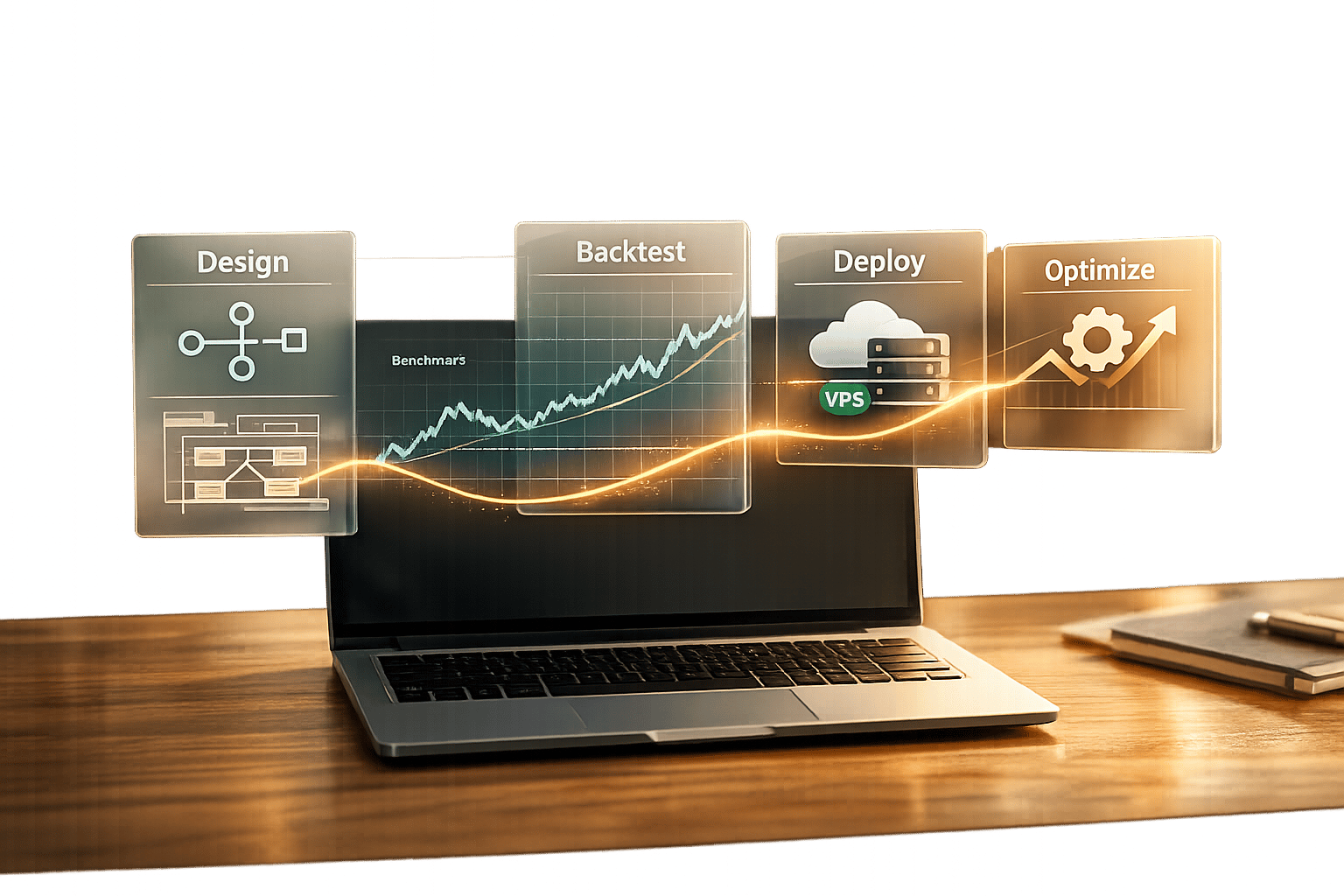
The Complete Guide to Building Profitable Trading Bots
Automated trading bots can execute trades based on pre-set rules, removing emotional decision-making and working faster than humans. This guide outlines how to build and optimize trading bots using tools like Traidies, which converts plain English strategies into MQL5 code. Here's what you need to know:
- Trading bots: Execute trades, manage risks, and monitor markets 24/7.
- Traidies: Simplifies bot creation with AI tools, backtesting, and MQL5 integration.
- Key metrics: Profit Factor >1.75, Sharpe Ratio >1.0, and Max Drawdown <20%.
- Testing phases: Demo, small live tests, and stability testing ensure reliability.
- Ongoing updates: Regular re-optimization keeps bots effective in changing markets.
Focus on clear strategies, thorough testing, and continuous monitoring for success.
Choosing Your Bot Development Tools
What Traidies Offers for Bot Builders
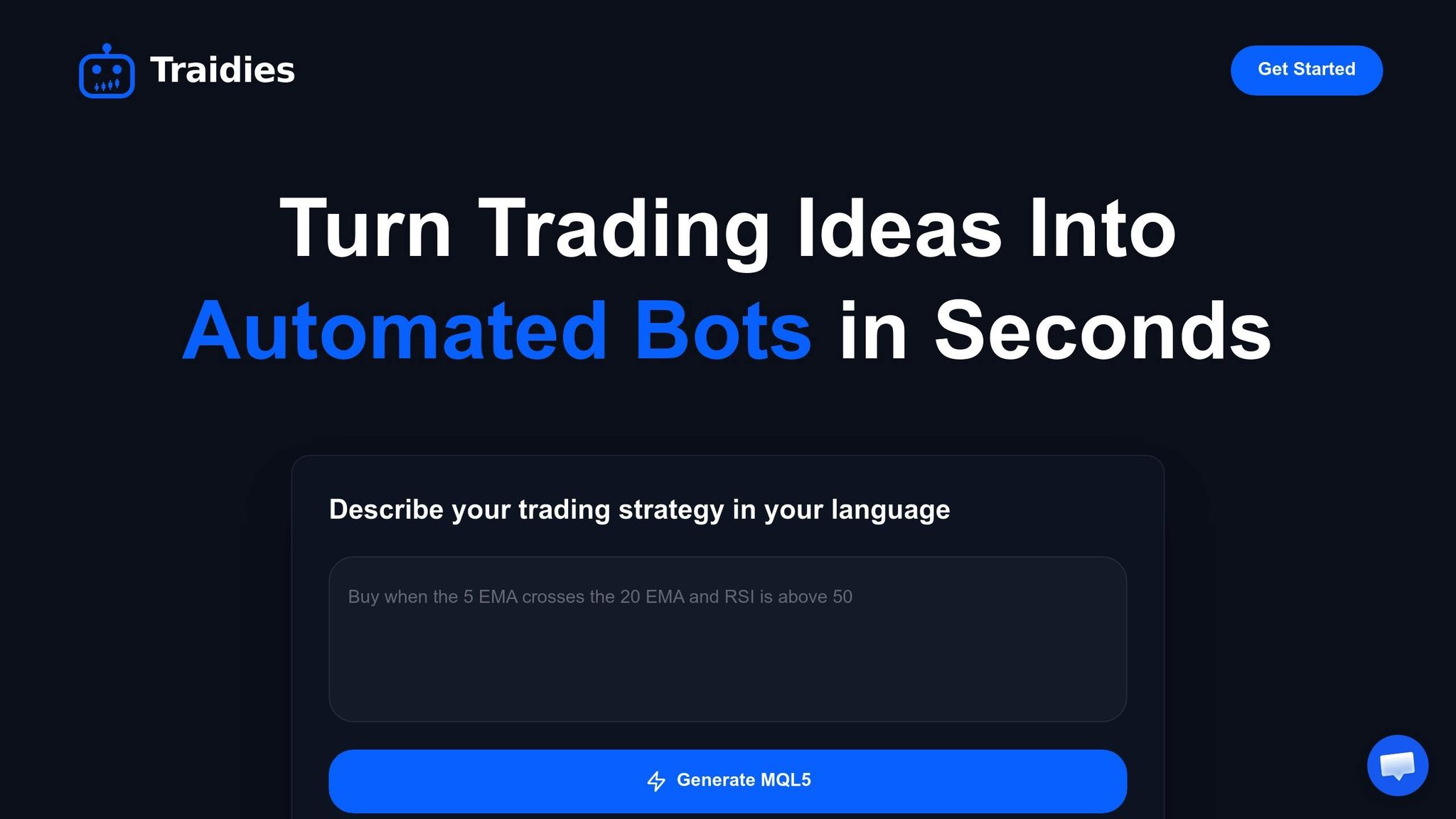
Traidies simplifies trading bot development by offering tools that eliminate the need for advanced programming skills. With its ability to instantly translate plain English strategies into code, it also supports automated backtesting and offers options to customize parameters for fine-tuning.
The platform doesn't stop at code generation. It allows users to test strategies using historical market data, so you can evaluate performance before putting real money on the line. Additionally, Traidies provides customizable Expert Advisors and indicators, giving you the freedom to tweak settings as needed. An AI Coach is also available, guiding you through troubleshooting and optimizing your logic during development. This streamlined process lets you take full advantage of MQL5's specialized features.
Why MQL5 Works Well for Trading Bots
Traidies' tools integrate seamlessly with MQL5, a programming language designed specifically for trading robots and technical indicators on the MetaTrader 5 platform. MQL5’s C++-like syntax and object-oriented structure make it easier to organize complex strategies.
The language is packed with specialized functions for tasks like analyzing price quotes, managing trading positions, and using technical indicators. It also includes predefined event handlers like OnTick and OnTimer, which automatically execute your logic based on changing market conditions. For those who want to test and optimize their strategies, MQL5 supports multi-threaded backtesting, which can be sped up using remote agents or cloud networks.
"MQL5 syntax is very close to C++ enabling programmers to develop applications in the object-oriented programming (OOP) style." - MetaQuotes Ltd.
When combined with AI tools like Traidies, MQL5 serves as the execution layer for your trading strategies. While Traidies handles contextual analysis and decision-making, MQL5 ensures that trades are executed with precision based on your predefined rules. This division of labor keeps your trading logic secure and prevents your MetaTrader terminal from being bogged down with heavy AI processing.
Traidies Pricing Plans Compared
Traidies offers a variety of pricing plans to cater to different trading needs, ensuring flexibility and scalability.
| Plan | Monthly Price | Key Features | Best For |
|---|---|---|---|
| Basic | $XX/month | AI Strategy Parser, MQL5 Code Generation, Basic Backtesting | Beginners experimenting with simple strategies and limited data |
| Pro | $XX/month | All Basic features, Advanced Backtesting, Customizable Code | Traders seeking deeper testing and code flexibility |
| Enterprise | Custom Pricing | All Pro features, Dedicated Support, API Access | Businesses requiring tailored solutions and priority support |
The Basic plan is ideal for getting started, offering essential tools for building and testing bots. The Pro plan expands on this with advanced backtesting and customization features, making it a better fit for seasoned traders. For businesses or large-scale operations, the Enterprise plan provides API access, dedicated support, and solutions tailored to specific needs.
sbb-itb-3b27815
Building and Customizing Your Trading Strategy
Writing Strategies in Plain English
The AI Strategy Parser simplifies the process of creating trading bots by turning plain English strategy descriptions into executable MQL5 code. You just need to outline key elements like entry rules, exit conditions, indicators, and risk parameters in straightforward language. The parser then translates this input into functional MQL5 code.
Before diving in, it’s a good idea to draft your strategy as pseudocode. This is essentially a human-readable outline of your bot's logic, serving as a bridge between your ideas and the final code.
"Pseudocode acts as a link between concrete code implementations and abstract algorithmic concepts. Before starting to code, it enables us to quickly and easily sketch out our ideas in a format that humans can read".
For example, in June 2025, Vyacheslav Izvarin showcased this approach by building a scalping Expert Advisor for EURUSD on a 5-minute timeframe. Using the AI Coach, he defined technical specifications like RSI and Moving Average crossovers, a strict 1% risk per trade, and a cap of three concurrent trades. His plain-English description was then compiled in MetaEditor, resulting in a fully functional trading bot [Source: MQL5 Traders' Blogs, "Complete Guide to Using MQL Generator", 2025].
When describing your strategy, aim for clarity and precision. For instance:
- Trigger conditions: "Buy when RSI crosses above 30 and the 50-period MA is above the 200-period MA."
- Exit rules: "Close the position when the price hits a 2% profit or a 1% loss."
- Risk parameters: "Risk 2% of account balance per trade, with a maximum of 5 open positions."
The more specific your instructions, the more accurate your generated code will be. Once you have the basic code, you can refine it to add more advanced features.
Editing MQL5 Code for Advanced Features
After generating the initial code, you can fine-tune it in MetaEditor to introduce advanced functionality. Press F4 to open MetaEditor, where the code is organized into event handlers like OnInit() for setup, OnTick() for execution, and OnDeinit() for cleanup.
Advanced refinements often involve enhancing risk management. For example, in August 2025, developers shared a professional bot design that used the Kelly Criterion for dynamic position sizing. This approach adjusted the "Kelly fraction" based on confidence levels and annualized volatility (calculated with a 252-bar lookback period), capping exposure at 25% while ensuring a minimum 1% risk per trade [Source: MQL5 Traders' Blogs, "Building Professional MT4/MT5 Trading Bots", 2025].
Additional customizations might include safety measures like:
- Daily drawdown limits: Commonly set between 2–5% of the account balance.
- OCO (One Cancels the Other) orders: Automatically canceling the Stop Loss once the Take Profit is hit, and vice versa.
These tweaks can significantly improve your bot’s performance and risk management, aligning it with the strategies discussed earlier. Once you've made your edits, press F7 to compile the code and check for errors. MetaEditor’s debugging tools and profiler can also help you identify and optimize any slow functions before testing your bot.
How to Create EA for MT5 with MQL5 Trading Bot
Testing and Improving Your Bot's Performance
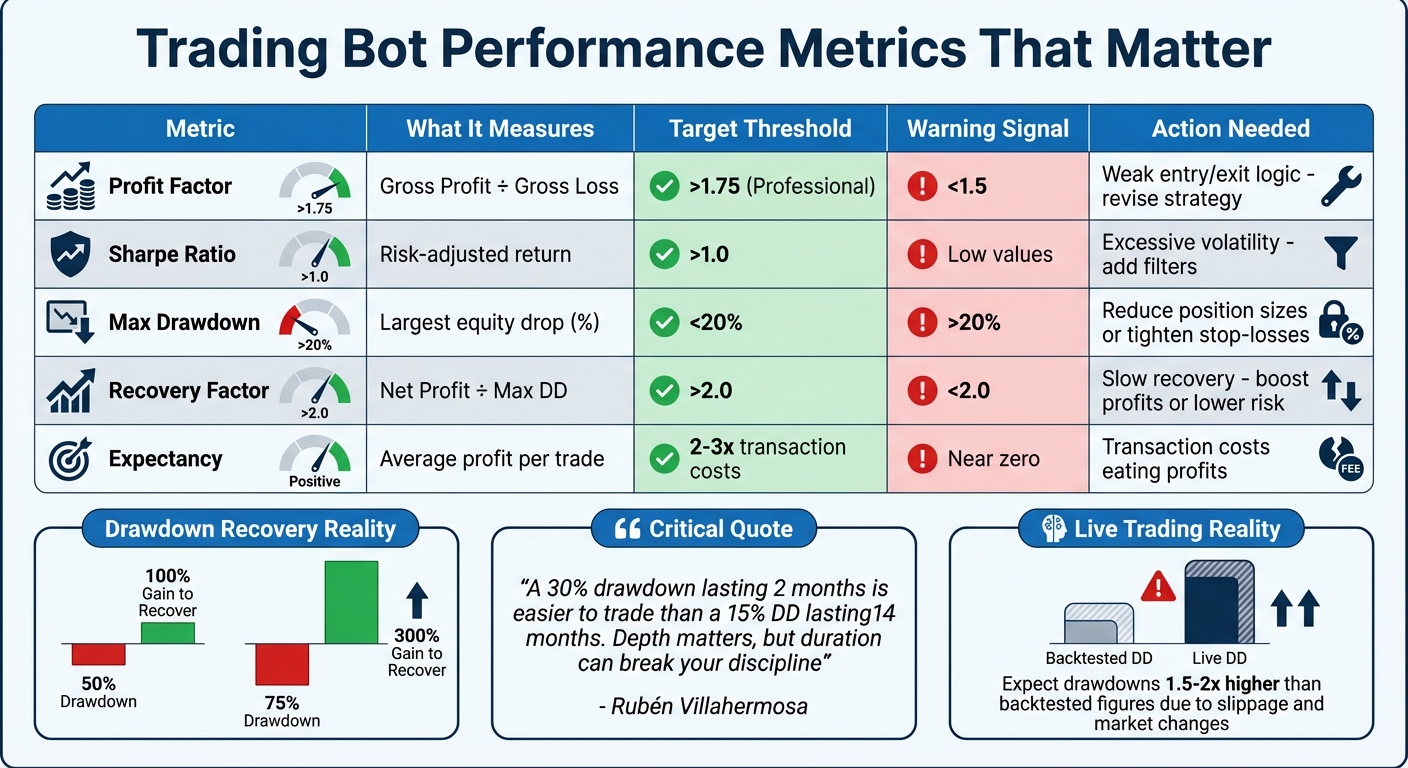
Trading Bot Performance Metrics Benchmarks and Thresholds
Backtesting
Once your bot is coded, the next step is testing it against historical data. This is where Traidies comes in handy, automating the process so you can evaluate how your strategy might have performed without risking real money. You’ll need to pick a currency pair, like EURUSD or GBPUSD, decide on a timeframe (e.g., 5-minute or 1-hour charts), and select a date range that covers various market conditions.
Traidies integrates with MT5's Strategy Tester, which provides several tick generation modes. For the most reliable results, opt for the "Every Tick" mode. Don’t forget to configure realistic trading costs - ignoring commissions and swaps can lead to overly optimistic results that won’t hold up in live trading.
After running the backtest, analyze the performance metrics to determine if the strategy is worth pursuing.
Performance Metrics That Matter
Profit alone doesn’t tell the whole story. To truly assess your bot’s effectiveness, you need to dig into specific metrics that highlight its strengths and weaknesses. Here are the key ones to consider:
| Metric | What it Measures | Why it Matters for Improvement |
|---|---|---|
| Profit Factor | Gross Profit / Gross Loss | A value below 1.5 suggests weak entry/exit logic. |
| Sharpe Ratio | Risk-adjusted return | Low values indicate excessive volatility; consider adding filters. |
| Max Drawdown | Largest equity drop (%) | If above 20%, reduce position sizes or tighten stop-losses. |
| Recovery Factor | Net Profit / Max DD | Values under 2.0 signal slow recovery; aim to boost profits or lower risk. |
| Expectancy | Avg. profit per trade | Near-zero values suggest transaction costs are eating into profits. |
Professional traders often look for a Profit Factor above 1.75 for a solid strategy, while a Sharpe Ratio over 1.0 signals good risk-adjusted returns. Keep in mind that recovering from drawdowns is no small feat - a 50% drawdown requires a 100% gain just to get back to even, while a 75% drawdown needs a staggering 300% recovery. As Rubén Villahermosa wisely observed:
"A 30% drawdown lasting 2 months is easier to trade than a 15% DD lasting 14 months. Depth matters, but duration can be the factor that breaks your discipline".
Fine-Tuning Settings for Better Results
With backtest results in hand, the next step is refining your strategy by tweaking key parameters.
Optimization involves adjusting variables like stop-loss levels, take-profit targets, and indicator settings to find configurations that perform well across different market conditions. Traidies simplifies this process using genetic algorithms, which can test thousands of parameter combinations far more efficiently than manual trial-and-error. But don’t fall into the trap of chasing the highest historical profit. As Trading Strategies Academy cautions:
"Optimization is not merely about finding parameters that show the highest profit... that path often leads to curve-fitting".
To avoid overfitting, split your historical data into two parts: use 70% for optimization (in-sample testing) and reserve the remaining 30% for validation (out-of-sample testing). This ensures your bot is tested on "unseen" data, proving its robustness beyond the optimized period. Keep in mind that live trading often results in drawdowns that are 1.5 to 2 times higher than backtested figures due to slippage and market changes. Only trade strategies where you can handle these amplified drawdowns emotionally, and make sure your strategy’s expectancy is at least 2–3 times higher than your transaction costs.
Running and Maintaining Your Bot
Moving from Demo to Live Trading
Transitioning your trading bot from a demo environment to live markets requires careful planning and patience. Even if backtesting results look great, jumping straight into live trading can be risky. Instead, use a structured, three-phase approach to ease your bot into real market conditions:
- Demo Testing (3–14 days): Focus on verifying your bot's technical performance, such as trade entries, stop-losses, and take-profit levels. At this stage, profits aren't the priority - it's about ensuring the bot runs smoothly without errors.
- Small Live Testing (2–6 weeks): Begin live trading with micro lots or the smallest position sizes your broker allows. This step helps you uncover real-world factors like slippage, latency, and spread changes that demo accounts typically don't reveal.
- Stability Testing (2–3 months): Keep your bot's settings consistent and observe its performance across different market conditions, such as trending, ranging, or highly volatile phases.
Stick to the "Don't Touch It" Rule, popularized by Flora Rosa Seeholzer, which emphasizes the importance of avoiding changes mid-test. Adjusting settings prematurely resets your sample size, making it harder to draw meaningful conclusions. According to Seeholzer:
"Scaling only makes sense when your process is consistent."
Confidence grows as your bot completes more trades: patterns become clearer after 50–100 trades, but scaling should ideally wait until you've logged 200+ trades.
Using VPS and Logs for Reliable Operation
Running your bot on a home computer can leave it vulnerable to power outages, internet disruptions, or system failures. A Virtual Private Server (VPS) solves this by hosting your trading platform on a remote server that runs 24/7. When located near your broker's trade server, a VPS can significantly reduce latency - cutting it from around 180 ms to as low as 8 ms - helping to minimize slippage and requotes.
MetaTrader offers VPS hosting for about $15 per month, while third-party providers like MyForexVPS start at $12.99 per month. Some brokers even provide free VPS access based on your trading volume or account size. Migrating to a VPS is straightforward; you can sync your local setup, including charts, Expert Advisors, and indicators, with a single click.
Monitoring logs is just as important. Use the MT5 "Journal" and "Experts" tabs to identify errors, connection issues, or confirm your bot's status. A smiley face on the chart signals that the bot is active, while a frowny face indicates a problem. To safeguard your account, consider setting daily drawdown limits (2–5% of your account) and enabling auto-shutdown features to protect against unexpected volatility.
Once your bot is running smoothly on a VPS, keep a close eye on its performance and fine-tune its settings as market conditions evolve.
Regular Updates and Re-Optimization
Markets are always changing, so your bot needs regular updates to stay effective. Review key metrics daily, analyze trade quality weekly, and re-optimize monthly using fresh data. Tools like Traidies' backtesting suite can help you test new parameters and validate them with forward testing on unseen data.
Be cautious of over-optimization, as it can lead to curve fitting. To avoid unnecessary risks, pause your bot during high-impact news events like Non-Farm Payroll releases. You might also consider using market regime filters - such as the Average Directional Index - to determine when adjustments are necessary.
Conclusion
Creating a profitable trading bot involves four critical stages: planning, coding, testing, and ongoing maintenance. Each step is essential, whether it's drafting clear pseudocode to translate your trading ideas into executable MQL5 code or ensuring your bot operates seamlessly 24/7 on a dependable VPS.
Tools like Traidies simplify this process by converting plain English strategies directly into MQL5 code, removing the need for complex manual programming. Its built-in backtesting features and AI-powered optimization tools allow traders to validate their bots with historical data and fine-tune parameters. By breaking down technical barriers, Traidies enables you to concentrate on refining your strategy and managing risk effectively. This streamlined approach sets the stage for continuous monitoring and timely adjustments to your bot's performance.
Markets are always shifting, so consistent updates are a must. As previously discussed, monthly re-optimization and weekly performance reviews are key to staying ahead of these changes. Trading mentor Saeid Soleimani highlights an important truth:
"Expert Advisors amplify strategy, not replace it"
Success lies in combining a strong technical setup with regular monitoring and adaptation. Whether you're testing in demo environments or live markets, the essentials remain unchanged: conduct thorough testing, manage risk carefully, and ensure your strategy aligns with current market conditions. By following these principles and leveraging tools like Traidies, you can build bots that deliver reliable, measurable outcomes over time.
FAQs
How much money do I need to start with a trading bot?
Starting with an initial investment of $3,000 to $5,000 is often suggested, as it offers a solid foundation for creating and operating a profitable trading bot. That said, the exact amount you need can depend on factors like your trading strategy and the platform you select. Make sure your starting capital matches your risk tolerance and aligns with your overall trading objectives.
How do I know if my backtest results are overfitted?
To spot overfitting in backtest results, look for steep performance declines when the strategy is tested on new or live data. Other red flags include weak results in robustness tests, unexpected shifts in performance metrics, or strategies that appear overly fine-tuned to specific data quirks.
To minimize the risk of overfitting, you can:
- Validate your strategy using out-of-sample data.
- Conduct walk-forward analysis to test adaptability over time.
- Use tools like Monte Carlo simulations to assess the consistency and reliability of your strategy.
These steps help ensure your strategy isn't just tailored to historical data but can perform in real-world scenarios.
When should I stop or pause my bot in live trading?
When operating a trading bot, it's crucial to hit the brakes or take a pause when certain risk management thresholds are reached. These thresholds might include hitting your stop-loss limits, going beyond your maximum drawdown allowance, or facing market volatility that exceeds what you're comfortable with. To safeguard your investments, consider using tools like circuit breakers or implementing volatility-adjusted position sizing. These measures can help shield your capital and limit losses during tough market conditions.