Integrating AI Models into MQL5 Scripts

Integrating AI Models into MQL5 Scripts
AI is transforming automated trading in MQL5. By merging AI models like LSTMs with MQL5, traders can create smarter systems that analyze market data, predict trends, and execute trades more effectively. This guide explains how to set up your environment, train AI models, and integrate them with MQL5 scripts for real-time trading.
Key Takeaways:
- MQL5 Overview: A programming language for creating trading algorithms within MetaTrader 5.
- AI Benefits: AI-powered Expert Advisors (EAs) outperform traditional scripts by analyzing real-time data and identifying patterns.
- Setup: Use MetaTrader 5 for trading execution and Python for AI logic.
- Model Training: Train LSTM models with historical data to predict market movements.
- Integration: Deploy AI as a microservice and connect it to MQL5 via HTTP requests.
- Risk Management: Implement safeguards like confidence thresholds, multi-model consensus, and circuit breakers to protect your capital.
By following this guide, you can build a reliable, AI-driven trading system that combines the strengths of MQL5 and Python. Detailed steps cover everything from setup to deployment, ensuring you’re ready to test and refine your strategies.
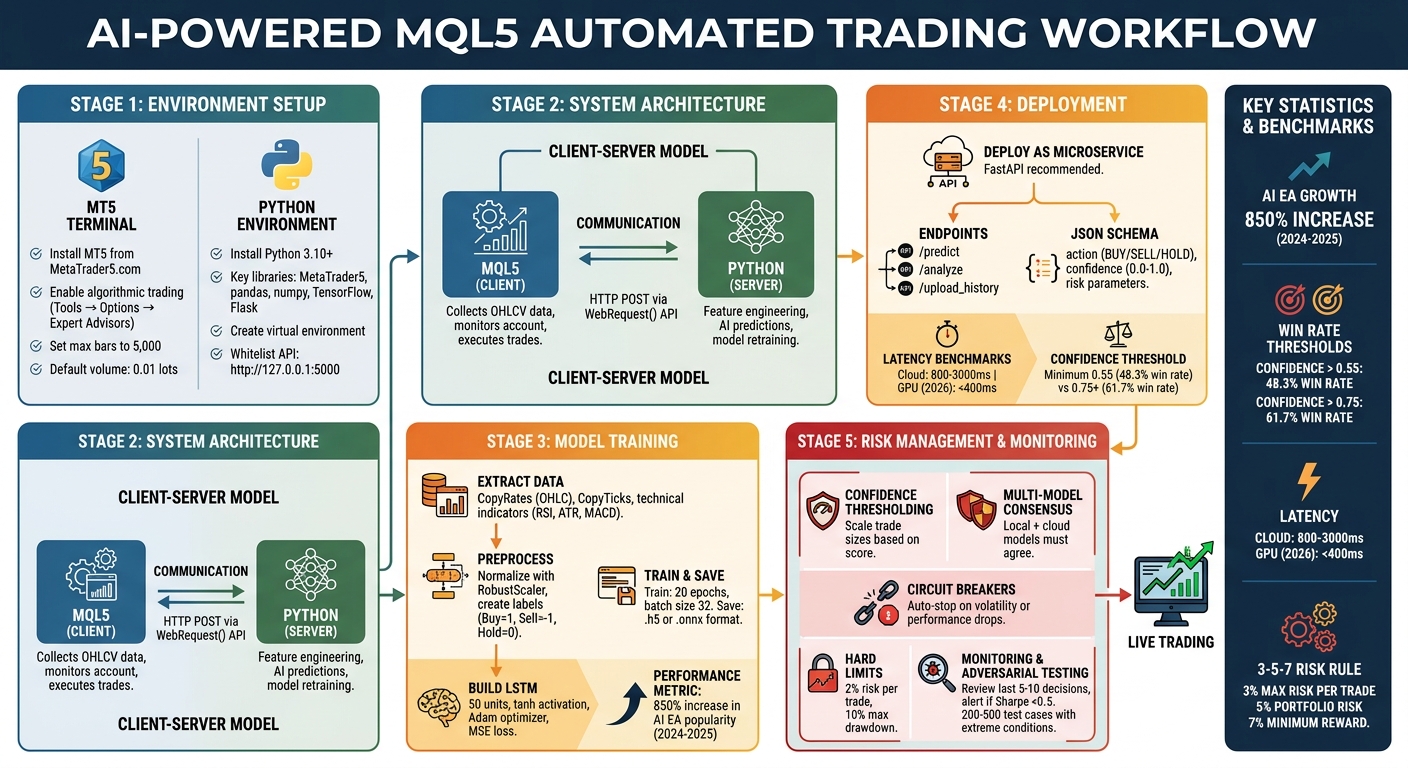
AI-MQL5 Integration Workflow: From Setup to Live Trading
MQL5 TUTORIAL - YOUR OWN LOCAL AI SERVER FOR PROGRAMMING IN 5 MINUTES
sbb-itb-3b27815
Setting Up the Development Environment
To integrate AI models with MQL5, you need to establish two distinct environments: one for MetaTrader 5 (MT5) to handle trading execution and another for Python, where AI computations will take place. MQL5 takes care of executing trades, while Python processes the AI logic.
Installing MetaTrader 5 and Configuring MQL5
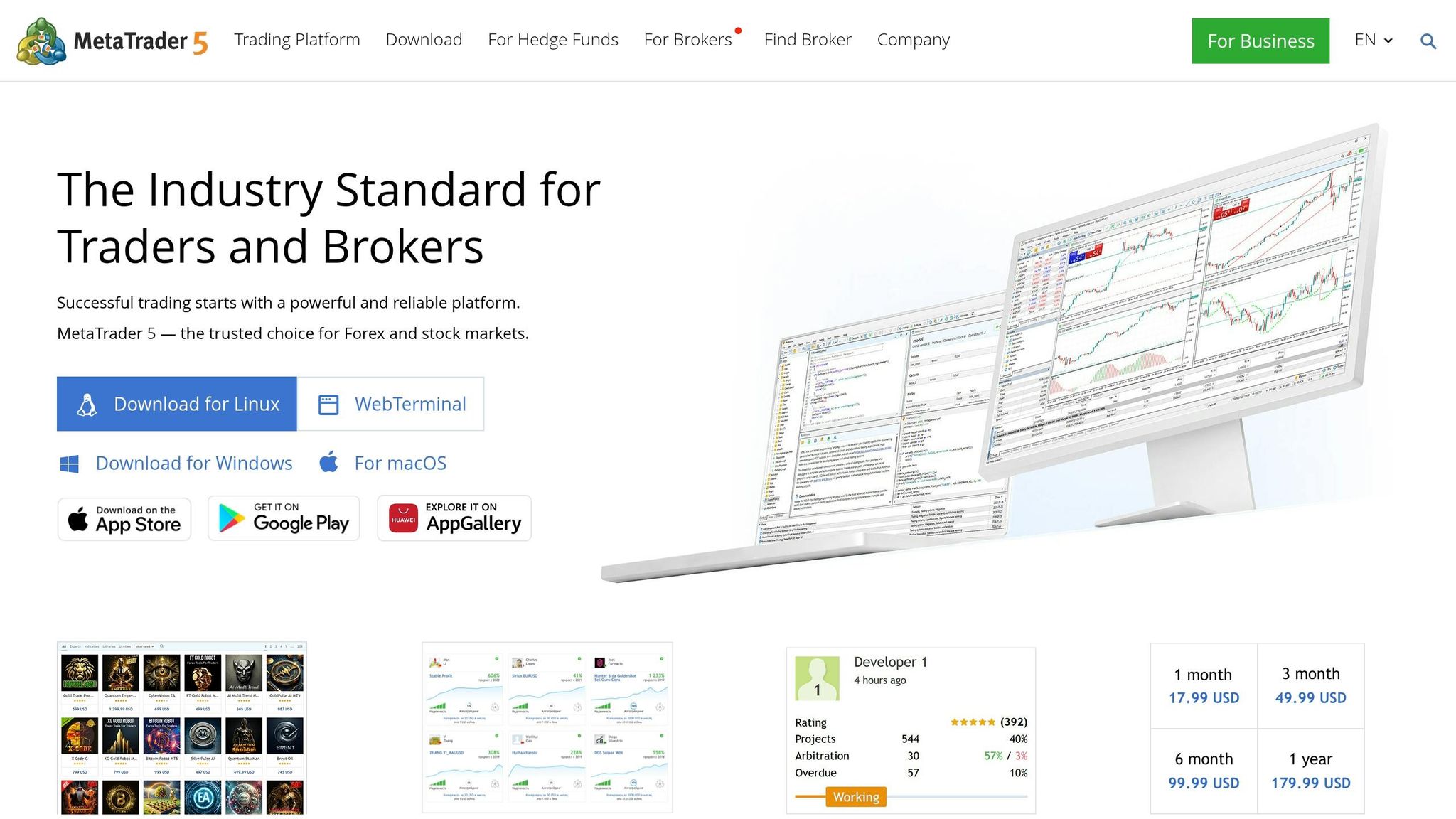
Start by downloading MetaTrader 5 from its official website (MetaTrader5.com). Run the MT5Setup.exe file, and the installation wizard will guide you through the setup in just a few minutes. Once installed, create either a Demo account to practice with virtual funds or a Cent account to test strategies with minimal real money. Make sure to select "Hedge" mode, which allows you to open multiple opposing positions - essential for more advanced AI-driven strategies.
Next, enable algorithmic trading by navigating to Tools → Options → Expert Advisors and checking the box for "Allow algorithmic trading." To improve performance, reduce CPU and memory usage by setting "Max bars in chart" under Tools → Options → Charts to around 5,000 bars.
Scripts integrating AI will be created using MetaEditor, which is accessible directly from the MT5 terminal. Keep in mind that all source files are stored in the /MQL5/ directory. Specifically, Expert Advisors go into /MQL5/Experts/, and indicators are saved under /MQL5/Indicators/. For safety, set your default trade volume to 0.01 lots in Tools → Options → Trade to avoid placing large, unintended orders.
Preparing the Python Environment for AI Models
Install Python 3.10 or later, ensuring that "Add Python to PATH" is selected during installation. Once Python is installed, open a command prompt and run the following command to install the MetaTrader 5 package:
pip install MetaTrader5
This package allows Python to interact with MetaTrader 5, fetching market data and sending trade orders.
For AI model development, you'll need some essential libraries for data processing. Install them with:
pip install pandas numpy matplotlib
Next, choose an AI framework based on your needs. For LSTM models, use TensorFlow:
pip install tensorflow
If you're working with classical machine learning algorithms, install scikit-learn:
pip install scikit-learn
If you plan to serve AI models as microservices, install Flask:
pip install flask
For faster model inference, particularly with pre-trained models, install ONNX Runtime:
pip install onnxruntime
To avoid dependency conflicts and keep your environment clean, set up a virtual environment before installing these libraries by running:
python -m venv venv
Finally, configure MetaEditor to recognize your Python installation. Go to Settings → Compilers in MetaEditor and specify the path to your Python executable. Additionally, whitelist your local API host (e.g., http://127.0.0.1:5000) under Allow WebRequest for listed URL in MetaTrader 5 settings. This step ensures that MQL5 can communicate with Python-based microservices.
With both environments ready, you're set to explore how they work together.
Understanding the System Architecture
The integration between MQL5 and Python operates on a Client-Server model, as MQL5 doesn't directly support Python. In this setup:
- MQL5 acts as the client, collecting live market data (OHLCV), monitoring account activity, and executing trades.
- Python serves as the server, handling tasks like feature engineering, AI model predictions (e.g., LSTM forecasts), and periodic retraining of models.
Communication happens through HTTP POST requests using MQL5's WebRequest() API or via persistent sockets for real-time data transmission. For scenarios requiring low latency, you can convert AI models to the ONNX format and embed them directly into your MQL5 Expert Advisor. This allows the trading terminal to run model inference locally, eliminating the need for external API calls.
As Hlomohang John Borotho, Founder and CEO at GIT Capital, highlights: "Traders benefit from a system that combines the best of both worlds: the structure and reliability of technical rules with the adaptability and learning capabilities of machine learning".
This architecture ensures that Python handles the heavy computational tasks, while MQL5 stays focused on executing trades quickly and reliably. Together, they provide a powerful framework for incorporating AI into your trading strategies.
Training AI Models for Trading Strategies
Learn how to extract historical data from MetaTrader 5, process it into usable features, and train a neural network to predict market movements.
Extracting and Preprocessing Data from MetaTrader 5
Start by pulling historical price data with MQL5 functions. Use the CopyRates function for OHLC (Open, High, Low, Close) data or CopyTicks for tick-level precision when needed. MetaTrader 5 also lets you extract technical indicators directly, such as RSI (iRSI), ATR (iATR), or MACD (iMACD). For training, export this data to CSV files or serialize it into JSON for real-time pipelines using Sockets or WebRequest APIs.
Raw price data isn’t ideal for training because it can vary significantly across instruments. For example, EUR/USD prices around 1.0800 differ greatly from gold trading at $2,400 per ounce. To make your model adaptable, transform prices into stationary features with a constant mean and variance. Common approaches include percentage price changes (pct_change), differenced OHLC values, or indicators like RSI, which ranges from 0 to 100. This ensures your model can detect universal patterns across different markets.
For supervised learning, label your data by looking at future price movements. Assign a "Buy" label (1) if the price rises more than 0.1% over the next 5 bars, a "Sell" label (-1) for a similar drop, and "Hold" (0) otherwise. Normalize the data with tools like RobustScaler to handle outliers and maintain consistent feature ranges across instruments.
Once your data is cleaned, labeled, and normalized, you’re ready to structure and train your LSTM model.
Building and Training LSTM Models
LSTM (Long Short-Term Memory) networks are perfect for identifying patterns in time-series data. Start by reshaping your data into fixed-length sequences (e.g., 50 bars of OHLC data). These sequences become your input (X), while the corresponding labels predict the next time step (y).
Using TensorFlow's Sequential API, set up your model. Add an LSTM layer with around 50 units for your 4-feature OHLC input, followed by a Dense output layer with a tanh activation function to produce predictions between -1 and 1. Compile the model using the Adam optimizer and Mean Squared Error (MSE) loss function. Train the model over 20 epochs with a batch size of 32. If you have access to a GPU, training times can drop dramatically - from about 8,000ms to under 80ms per step.
Save your trained model in .h5 or .onnx format to integrate it with MQL5. Between early 2024 and mid-2025, the popularity of AI-based Expert Advisors in the MQL5 Marketplace surged by 850%, showing the growing interest in these tools.
Testing Model Performance
After training, rigorous testing is essential to ensure your model's reliability. Start with MetaTrader 5's Strategy Tester to validate performance on the training dataset. Use walk-forward analysis to test on unseen data sequentially, mimicking real-world conditions. Perform out-of-sample testing on completely unused data to ensure your model isn’t just memorizing historical patterns.
Performance data from October 2025 to March 2026 revealed that AI models with confidence scores below 0.55 had a win rate of 48.3%, while scores above 0.75 achieved a win rate of 61.7%. Evaluate both trading metrics (like Sharpe Ratio, Max Drawdown, and Win Rate) and statistical measures (MAE, MSE, R²) to ensure the model’s predictions align with market behavior. Always test your Expert Advisor on a demo account first to monitor execution quality and slippage without putting real money at risk.
Keep an eye out for model drift, where performance degrades over time, signaling the need for retraining. Before deploying live, run 200–500 test cases with extreme market conditions - such as 50-pip spreads or zero-volume bars - to ensure your system handles anomalies correctly and avoids executing trades on faulty inputs.
Thorough training and testing lay the groundwork for seamless integration with MQL5 scripts, setting the stage for deployment.
Deploying AI Models and Connecting to MQL5
Once your AI model is trained and tested, the next step is deploying it for real-time trading and integrating it with MQL5. By setting up the model as a microservice, you create a bridge between MetaTrader 5's secure environment and your Python-based AI logic.
Hosting AI Models as Microservices
Since Python handles the AI computations, hosting your model as a microservice allows it to function in real time. Tools like Flask or FastAPI are great for this purpose, with FastAPI being a strong choice for production environments. Its asynchronous capabilities using asyncio let it handle multiple requests simultaneously, ensuring smooth performance.
Set up specific endpoints for different tasks. For example:
/predict: Sends real-time trading signals./analyze: Provides deeper market insights./upload_history: Allows periodic retraining with new data.
Your microservice should accept market data as JSON, process it using the AI model, and return a structured JSON response. This response must adhere to a strict schema, including:
- Trading action: BUY, SELL, or HOLD.
- Confidence score: A value between 0.0 and 1.0.
- Risk parameters: Details to guide trade execution.
Any response that doesn't fit this schema should be rejected to avoid errors in trading decisions.
"The defining technical question of 2026 for MQL5 developers is not 'how do I add AI to my EA' - it is 'how do I build a bidirectional inference pipeline between a sandboxed MetaTrader process and a stateful language model, with deterministic output validation at every step.'"
– Mauricio Vellasquez, MQL5 Developer
Connecting MQL5 Scripts to AI Microservices
Once the microservice is up and running, you need to establish communication with MetaTrader 5. Start by whitelisting your microservice URL in MetaTrader 5's Expert Advisors settings. Go to Tools > Options > Expert Advisors and add your microservice address under "Allow WebRequest for listed URL." Without this, HTTP requests won't work.
Next, serialize current market data into JSON and send it to the /predict endpoint using MQL5's WebRequest() function. The AI's response, returned as JSON, contains the trading signal and confidence score, which you can parse and use in your trading logic.
Keep in mind that API calls introduce some latency. Cloud-based inference typically takes between 800 ms and 3,000 ms per request, making this approach ideal for H1 or M15 timeframes rather than high-frequency scalping. However, by 2026, consumer GPUs like the RTX 5080 are expected to reduce latency to under 400 ms, opening the door to AI-driven scalping strategies.
Using AI Predictions in Trading Logic
AI models provide probabilities, not certainties. To avoid acting on weak signals, use confidence thresholding. For instance, set a minimum confidence score (e.g., 0.55) and scale trade sizes based on the confidence level. Smaller positions can be used for lower scores near the threshold, while higher scores can justify larger trades.
For added reliability, combine AI predictions with traditional indicators before executing trades. Use tools like RSI, MACD, or moving averages to validate the AI's signals. Treat AI outputs as primary indicators that require confirmation from these technical checks. Additionally, implement hard-coded safeguards in your MQL5 script to prevent trades that exceed your account's risk limits. For example, during a 280-pip drop in EUR/USD over 47 hours in February 2026, AI inference detected the shift in time, something static indicators missed.
To keep your model sharp, establish a feedback loop. Send trade results (e.g., win/loss status and pips gained or lost) back to a /feedback endpoint on your microservice. This allows the model to learn from its performance and adapt to changing market conditions. Platforms like Traidies make this process easier by providing tools to generate MQL5 code from natural language inputs and enabling automated backtesting with historical data. These features help validate AI-driven strategies before risking real money.
Best Practices and Risk Management
AI models can fail in ways that traditional systems might not. They might generate incorrect parameters, such as improper lot sizes, misread market volatility, or produce poorly formatted JSON that disrupts execution. To prevent these issues, implement layered error checks to catch problems before they reach your broker's execution gateway.
Monitoring AI Model Performance
Keeping a close eye on your AI’s performance is essential. Review the last 5–10 decisions and their outcomes to identify if the model's interpretation of market conditions is off. For example, if the AI repeatedly issues "BUY" signals with high confidence but those trades consistently lose money, it could signal that the model needs retraining or that market dynamics have shifted.
Confidence calibration techniques, like Platt scaling or isotonic regression, can help align the model’s confidence scores with actual probabilities. Set up alerts to detect performance drops - such as a Sharpe ratio falling below 0.5 or a win rate dropping by over 10% within a rolling 30-trade window. If these thresholds are breached, pause the system and investigate.
Adversarial testing is another key step. Feed the model extreme market data - like wide spreads, zero volume, or contradictory signals - to ensure it defaults to a neutral ("FLAT") position instead of issuing risky trades. This proactive approach helps catch potential vulnerabilities before they cause significant issues.
Setting Up Fail-Safe Measures
Fail-safes act as a safety net when performance metrics deviate from expectations. For instance, your MQL5 script should include hard-coded risk limits, such as capping risk at 2% per trade or enforcing a 10% overall drawdown limit. Even if the AI assigns a high confidence score to a trade, the system should block any action that violates these limits.
Another safeguard involves using multi-model consensus. Run two models simultaneously - a smaller, faster local model and a larger cloud-based one - and execute trades only when both agree on the direction with high confidence. This method has proven effective in volatile markets, where discrepancies between models can signal the need to halt trading.
Circuit breakers are also crucial. These automatically stop trading during extreme volatility or when key performance thresholds are breached. For example, Marcus T., a trader, successfully passed a $50,000 FTMO challenge in just 18 trading days by using an AI EA equipped with an "equity guard." This feature activated twice during volatile periods to prevent overtrading. Additionally, fallback indicators like ATR or ADX can help detect market regime changes when the AI struggles to adapt.
Reducing Latency and Improving Scalability
Efficient performance is just as important as risk management. API-based large language model (LLM) calls can introduce latency between 800 ms and 3,000 ms, making them unsuitable for high-frequency or scalping strategies. To address this, consider local inference using quantized models like Llama 3.1 on consumer GPUs. By 2026, advanced GPUs like the RTX 5080 are expected to process decisions in under 400 ms, making AI scalping more practical.
To further reduce latency, use asynchronous middleware built with FastAPI and asyncio. This setup prevents LLM calls from blocking the MQL5 main thread during tick processing. Replace standard file I/O with named pipes or local sockets to streamline data exchange between MQL5 and the middleware. When configuring MetaTrader 5 WebRequest, use "http://127.0.0.1:11434" instead of "localhost" to bypass DNS resolution delays.
For scalability, consider timer-based evaluations where the AI runs at set intervals, such as every H1 bar, instead of processing every tick. This approach conserves resources while still delivering timely signals. Keep the LLM temperature low - around 0.2 or less - to ensure trading decisions remain consistent and structured. While cloud GPU inference costs range from $0.40–$0.80 per hour (or $9.60–$19.20 daily), local inference primarily involves upfront hardware and electricity costs.
Conclusion and Next Steps
Integrating AI into MQL5 scripts has the potential to reshape automated trading by blending precision with intelligent decision-making. By employing a bidirectional inference pipeline, strict JSON schema contracts, and confidence thresholds, you can map AI probability scores to risk-adjusted position sizes instead of relying on simple binary signals. Adding hybrid validation methods like RSI, EMA, and ATR ensures transparency, while adversarial testing with extreme market data helps confirm that the system defaults to "FLAT" positions during anomalies.
Review of Key Steps
To recap, the process begins with setting up your development environment, which includes installing MetaTrader 5, configuring MQL5, and preparing a Python setup for model training. You'll extract and preprocess historical data, build and train LSTM models, and evaluate their performance under realistic trading scenarios. Once your model is ready, deploy it via a FastAPI microservice, use WebRequest() to connect it to MQL5, and integrate its predictions into your trading logic with robust error handling. For consistent and reliable outputs, maintain low temperature settings (0.0–0.1) during JSON generation.
Using Tools Like Traidies
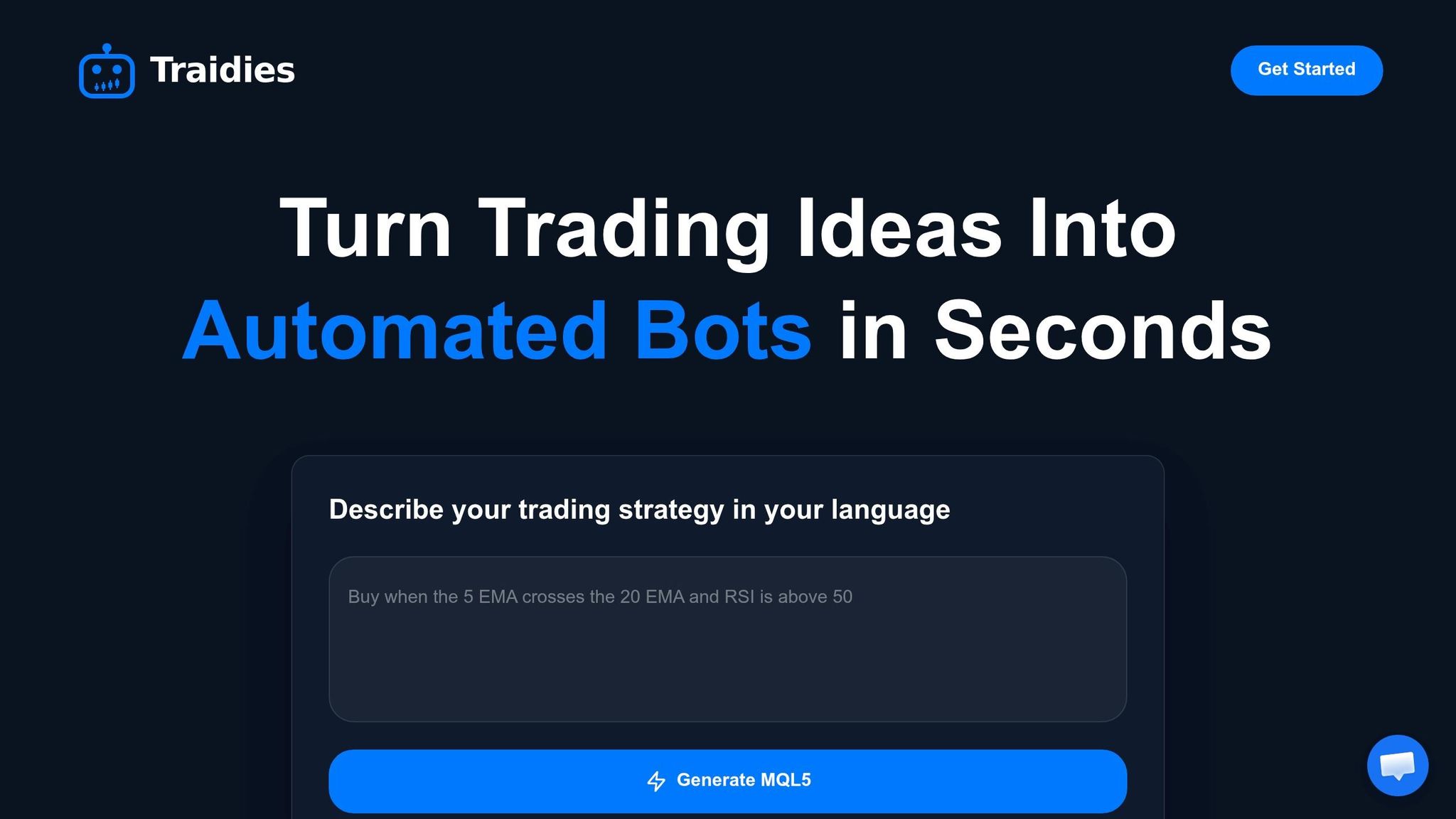
Platforms such as Traidies can simplify the development process by converting natural language strategy descriptions into executable MQL5 code. This saves time and reduces manual coding efforts. Additionally, Traidies enables automated backtesting with historical data, allowing you to validate your AI-driven strategies before deploying them in live markets. Once your system is operational, continue refining and testing it to maintain performance.
Continue Testing and Improving Your System
To finalize your setup, implement walk-forward validation by optimizing on one data segment and testing on the next, repeating this process periodically. In high-volatility markets, re-optimize every 2–4 weeks using a 10–20 day lookback period. For low-volatility conditions, a longer re-optimization cycle - every 1–3 months with a 50–100 day lookback - may be more suitable. It's also important to monitor for model drift and ensure inference latency remains low. Finally, use structured risk management frameworks, such as the 3-5-7 rule (3% maximum risk per trade, 5% total portfolio risk, and 7% minimum reward target), to protect your capital and manage risk effectively.
FAQs
Should I run AI inference locally (ONNX) or via a Python API?
If you're looking to integrate AI models into MQL5 scripts, using a Python API is often the go-to approach. Python is highly flexible, works seamlessly with libraries like TensorFlow, and makes converting models to ONNX a straightforward process.
That said, MetaTrader 5 does support running ONNX inference directly. Functions like OnnxCreate and OnnxRun allow you to execute models within the platform itself. While this eliminates the need for external tools, it requires more setup and may come with certain limitations.
So, what's the best choice? If simplicity and ease of use are your priorities, Python is a solid option. But if you're aiming for lower latency, leveraging ONNX directly in MetaTrader 5 could be worth exploring.
How do I choose a safe confidence threshold for trades?
To determine a safe confidence threshold, it's essential to integrate multiple risk management techniques. These can include ATR-based stops, which help set stop-loss levels based on market volatility, and drawdown limits, which cap potential losses. Pair these with carefully chosen confidence thresholds to filter out less reliable trades.
Statistical methods like confidence intervals and bootstrapping play a critical role in evaluating your model's reliability. They help assess whether trade signals are statistically valid, ensuring decisions are backed by solid data. By layering these strategies, you can minimize false signals and make trading decisions that are grounded in robust, data-driven confidence levels.
How often should I retrain my model to avoid drift?
There isn’t a one-size-fits-all approach to retraining AI models to prevent drift, but keeping them updated regularly is key in fast-changing trading environments. Many experts suggest retraining on a weekly or monthly basis to keep up with market fluctuations and sustain performance. However, the ideal schedule depends on factors like your trading strategy, how much data you have, and the complexity of your model. The goal is to ensure your model stays aligned with evolving market conditions to remain effective.